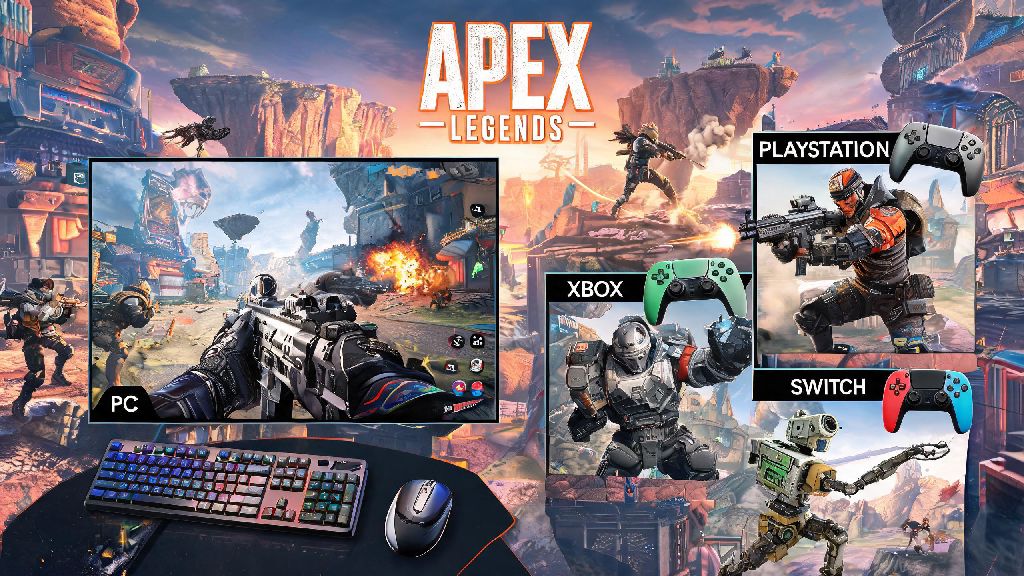
If you’ve ever tried to queue for a ranked match with a friend who plays on a different platform, you’ve almost certainly asked can pc play with console on apex legends at least once. Respawn Entertainment has rolled out plenty of quality of life updates for the battle royale over the years, and cross-platform play is one of the most requested features the studio has delivered. This guide breaks down exactly how the system works, what limitations you might run into, and how to make your crossplay lobbies as fair and fun as possible.
Can PC Play With Console on Apex Legends: Official Crossplay Rules
The short answer is yes, PC players can absolutely play with console players on Apex Legends, no extra hoops to jump through for the most part. Respawn enabled full crossplay across all supported platforms back in 2020, and the feature is turned on by default for every new account. That means you can squad up with friends on PlayStation 4/5, Xbox One, Series X/S, and Nintendo Switch regardless of whether you’re playing on a Windows PC.
Crossplay is supported for all game modes, including casual trios, ranked, limited-time events, and even custom private lobbies you set up for tournaments with friends. There is one small exception, though: if you or a friend has crossplay manually turned off in their settings, you won’t be able to join each other’s lobbies until it’s switched back on. Many console players turn crossplay off to avoid matching against PC players who use mouse and keyboard, which is a completely valid choice you can respect if you run into that issue.
Key Differences Between PC and Console Apex Legends Matchmaking
Just because crossplay works doesn’t mean the playing field is completely even between PC and console players, and that’s something you should be aware of before you queue into a lobby together. The biggest difference is input method: most PC players use mouse and keyboard, which offers far faster aim and movement precision than a standard controller. Respawn does include aim assist for controller players, even when they’re in crossplay lobbies, to help level the playing field, but it’s still a very different experience for players who are used to one input over the other.
Another key difference is performance: high-end gaming PCs can run Apex at 144 frames per second or higher, while most consoles cap out at 60 FPS (with the exception of PS5 and Series X running performance mode at 120 FPS for supported displays). Higher frame rates make it easier to track fast-moving enemies and react to sudden fights, which gives high-end PC players a small but noticeable edge in close-quarters combat. You’ll also notice that ranked lobbies have separate skill tiers for different input types, so a Platinum controller player isn’t necessarily at the same skill level as a Platinum mouse and keyboard player, even if their rank is the same. That’s something to keep in mind if you’re playing ranked crossplay with friends across platforms, as the lobby’s skill rating will be adjusted to account for all players in your squad.
Tips for Playing Crossplay With Friends Across PC and Console
Playing crossplay with friends can be incredibly fun, but it’s easy to run into frustrations if you don’t adjust your playstyle and settings first. We’ve put together a few simple tips that we’ve tested across hundreds of crossplay lobbies to make your matches run smoother:
One thing we’ve noticed from personal experience is that console players often have an edge when it comes to sustained close-range tracking, thanks to aim assist, while PC players shine at long-range snipes and fast flick shots. Assign roles based on those strengths if you want to win more fights: let your console main hold down close angles with an R-99 or CAR SMG, and let your PC player handle long-range picks with a Longbow or Kraber. That way everyone gets to play to their strengths, and no one feels like they’re at a disadvantage because of their platform.
Common Crossplay Issues Between PC and Console (and How to Fix Them)
Even though crossplay works well most of the time, you might run into a few common bugs or issues when trying to squad up across PC and console. The most frequent problem we see is the “failed to join party” error that pops up when one player is on an outdated version of the game. Always make sure every player in your squad has installed the latest Apex Legends patch before you try to queue together, as Respawn often releases small hotfixes that break crossplay between outdated and updated versions.
Another common issue is crossplay lobbies feeling unbalanced, especially if you’re a full console squad matching against PC players with high-end setups. If this happens to you regularly, you can turn off crossplay in your settings to only match against other console players, or invite one PC friend to your squad to balance out the lobby skill rating. The last issue we run into often is voice chat not working between PC and console players. This is almost always a privacy setting issue on the console side: check that your Xbox or PlayStation account has cross-platform communication enabled, and that you haven’t muted other players in the lobby by accident. You can also use a third-party voice chat app like Discord if the in-game chat continues to give you problems, as it works seamlessly across all platforms and has far fewer connection issues than Apex’s built-in voice system.
At the end of the day, asking can pc play with console on apex legends opens up a whole new way to play the game with friends you might not otherwise get to squad up with. The crossplay system isn’t perfect, but it’s well-built enough that you won’t run into major issues most of the time, as long as you adjust your expectations and settings to account for platform differences. Whether you’re a casual player just looking to mess around in mixtape modes, or a ranked player trying to climb the ladder with friends across platforms, crossplay makes Apex Legends a far more accessible and social game for everyone. The next time you see a friend online on a different platform, send them a squad invite – you might be surprised at how well your playstyles complement each other.