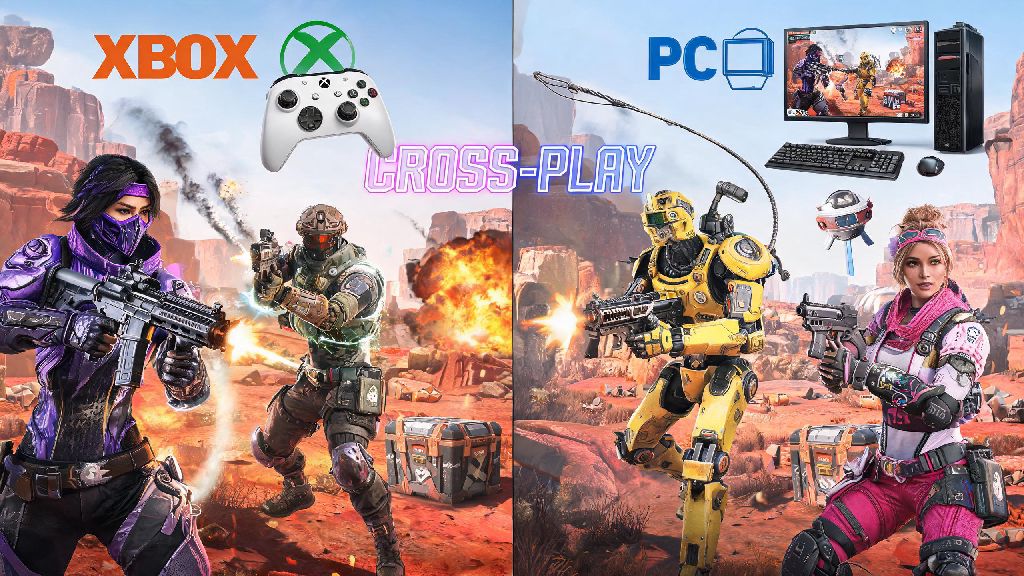
If you’ve ever been mid-lobby on your Xbox and realized your best friend only has Apex downloaded on their PC, you’ve probably asked: can Xbox play with PC on Apex Legends? For years, cross-platform play was a hit or miss feature for many battle royales, but Respawn has put in a ton of work to make crossplay seamless for Apex players across all platforms. We’re breaking down everything you need to know, from basic setup to common pitfalls to watch out for when playing across Xbox and PC, so you can spend less time troubleshooting and more time climbing the ranks with your squad.
Can Xbox Play With PC on Apex Legends? Crossplay Basics
The short answer is yes, all modern Xbox consoles (Xbox One, Xbox Series S, and Xbox Series X) can play with PC players on Apex Legends with no extra purchases or complicated workarounds required. Crossplay support rolled out for Apex back in 2020, and Respawn has expanded it consistently ever since, adding cross-progression in 2022 so players can carry their progress between any linked platforms. Crossplay is turned on by default for all new Apex accounts, so if you’ve never touched your gameplay settings, you’re already ready to join lobbies with PC players.
It’s worth noting that crossplay works across all PC versions of Apex too, whether your friend is playing through Steam, the Epic Games Store, or the EA App. You don’t have to match their PC storefront to play together, as long as both of you are logged into a linked EA account. The only time you won’t be able to play with PC players from Xbox is if you’ve manually disabled crossplay in your settings, or if one of your accounts has a crossplay restriction enabled through EA’s parental controls.
How to Set Up Crossplay Between Xbox and PC for Apex Legends
Setting up crossplay between Xbox and PC takes less than five minutes, as long as both you and your friend have active EA accounts linked to your respective platforms. If you’ve never linked your accounts before, you can do that through EA’s official website before launching the game, or you’ll be prompted to link when you first open Apex on either platform. The step-by-step process to connect and squad up is straightforward:
If you can’t find your friend’s account when you search for their name, double check that both of you have your EA account privacy settings set to allow friend requests. A lot of players accidentally set their EA profiles to private when they first make their account, which blocks cross-platform friend requests from showing up. Xbox players don't need an Xbox Live Gold subscription to play Apex crossplay with PC anymore, either. Microsoft changed its rules for free-to-play games a few years back, so you can play Apex online with no paid subscription required on any Xbox console.
Pros and Cons of Playing Apex Legends Crossplay Between Xbox and PC
Crossplay is a game-changer for playing with friends who don’t have the same console as you, but it’s not without its drawbacks. It’s important to know what you’re getting into before you queue up for a match with your PC friends, especially if you play ranked. The biggest benefit, of course, is being able to play with all your friends no matter what platform they prefer. Cross-progression also means you can swap between your Xbox and PC whenever you want without losing any of your skins, battle pass progress, or rank, which is perfect if you travel a lot or share a gaming space with someone who uses a different platform.
But there are a few downsides to keep in mind. The most common complaint from Xbox players playing with PC friends is that they’re matched against mouse and keyboard players, who have a natural advantage when it comes to fast aiming and long-range shots. That’s not to say controller players are at a total loss, though: controller players get aim assist regardless of what platform they're on, even if you’re playing in a PC lobby. The aim assist is tuned to be balanced across inputs, so you’ll still be able to hold your own as long as you’re comfortable with your controller settings.
Another downside is that PC lobbies have a slightly higher reported rate of cheaters than console-only lobbies. Respawn has cracked down heavily on hackers in recent years, but it’s still more common to run into someone using aimbot or wallhacks in a mixed-platform lobby than it is in an Xbox-only lobby. You’ll also run into slightly longer queue times for ranked matches when playing crossplay, because the game has to match your mixed-platform squad against other mixed squads to keep lobbies as fair as possible.
Tips to Make Crossplay Between Xbox and PC Smoother
After playing crossplay with my PC roommate for over a year on my Xbox Series S, I’ve picked up a few small tips that make the experience way less frustrating, even when we’re grinding ranked together. First, if you’re on Xbox and want to level the playing field with your PC friends, you can plug a mouse and keyboard directly into your Xbox console. Apex supports native mouse and keyboard input on all modern Xbox models, so you don’t need any extra adapters or software to use the same input as your PC teammates. It takes a little time to get used to if you’ve only ever played with a controller, but it’s a great option if you want to avoid feeling outmatched in mixed lobbies.
Second, adjust your crossplay privacy settings if you don’t want random PC players sending you friend requests or joining your lobbies when you’re playing solo. You can set your crossplay permissions to only allow friends to send requests, or even block crossplay entirely when you’re not playing with your PC friends, so you only get matched against other Xbox players for solo queues. Always check for game updates on both platforms before queuing, too. Apex releases small patches almost every week, and if one of you is on an older version of the game, you won’t be able to join the same lobby. Most platforms update Apex automatically, but if you haven’t launched the game in a few weeks, you might have a pending update waiting to install.
If you run into lag when playing crossplay, make sure both you and your teammate have a stable internet connection. Crossplay doesn’t add extra lag on its own, but if one person has a bad connection, it can affect the whole squad. You can also adjust your in-game network settings to prioritize low-latency mode if you’re having trouble with lag spikes mid-match.
At the end of the day, if you’ve been wondering can Xbox play with PC on Apex Legends, the answer is a resounding yes, with very little setup required to start squadding up with your friends across platforms. The small tradeoffs of occasional longer queue times or mixed input lobbies are more than worth it for most players who want to play with their friends no matter what device they use. Just double check your crossplay settings and EA account links before you queue up, and you’ll be dropping into World’s Edge or Storm Point with your cross-platform squad in no time. If you run into any weird glitches or connection issues, a quick restart of both the game and your device usually fixes most common crossplay problems.