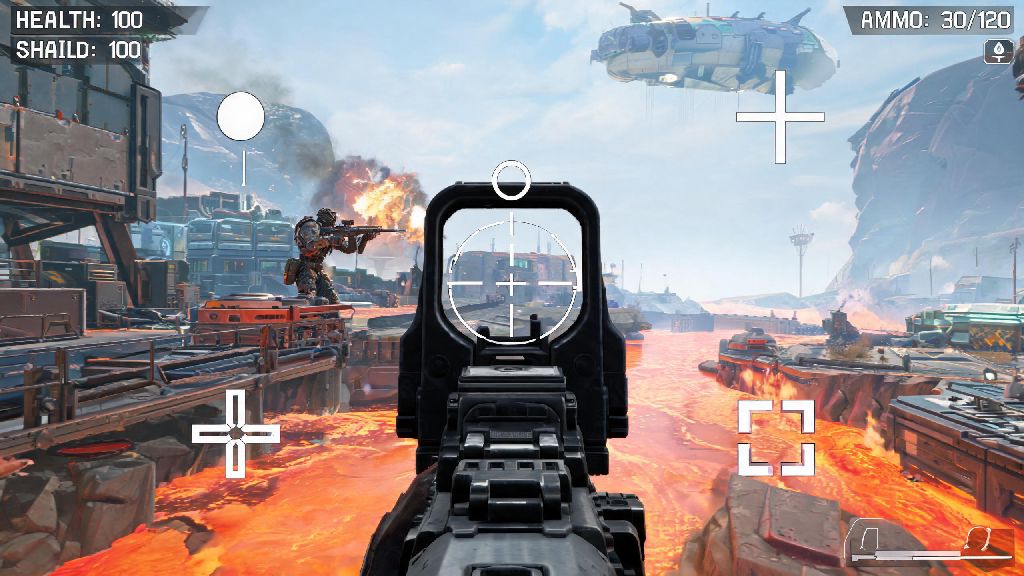
We’ve all been there: you’re lining up a perfect headshot on a fleeing enemy, only to realize your crosshair blended straight into the brown dirt of World’s Edge mid-fight. You miss the shot, get knocked, and lose out on easy RP for the match. If you’ve ever found yourself frustrated with the default reticle, you’ve probably asked can you change crosshair in Apex Legends to fit your playstyle. The short answer is yes, and it’s one of the simplest low-effort tweaks you can make to immediately improve your aim and win more fights. This guide walks you through every part of the process, from basic adjustments to pro-level tips that fit every skill level.
Can You Change Crosshair in Apex Legends for All Game Modes?
First, let’s clear up the most common question new players have: yes, crosshair customization works across every single game mode in Apex Legends, no exceptions. Whether you’re grinding ranked, messing around in mixtape, practicing in the firing range, or even playing limited-time event modes, your custom crosshair will show up exactly as you set it. You don’t need any third-party mods, hacks, or external tools to make changes either, every customization option is built directly into the base game for all platforms.
That means you can adjust your crosshair on PC, PlayStation, Xbox, and Nintendo Switch, and your settings will save to your account if you play across multiple devices. You don’t have to redo your setup every time you switch from your console to your PC, which is a huge quality of life feature many players don’t know about. Your crosshair settings are account-wide, so you only have to adjust them once no matter what device you play on.
You also don’t have to worry about getting banned for customizing your crosshair, unlike some other competitive shooters where third-party reticle tools are against the terms of service. Respawn explicitly allows all built-in reticle customizations, even for professional esports play, so you can tweak your setup as much as you want with zero risk.
Step-by-Step Process to Customize Your Apex Legends Crosshair
Customizing your crosshair takes less than two minutes once you know where to find the settings, and you can even make changes mid-match if you notice your reticle is blending into a new map’s background. The process is almost identical across all platforms, with only minor differences in controller or mouse inputs to navigate the menu. If you’ve ever asked can you change crosshair in Apex Legends and assumed it would be complicated, this simple process proves it’s far easier than most players expect. Here’s exactly what you need to do:
If you’re making bigger changes, don’t jump straight into a ranked match right after saving. The preview window in the settings menu is helpful, but it doesn’t show you how your crosshair looks against different map backgrounds, or how it feels when you’re moving and aiming. We recommend testing any new crosshair setup in the firing range for 5-10 minutes before jumping into ranked matches. Spend some time shooting moving dummies, testing hip fire, and aiming at different colored backgrounds to make sure your reticle is visible in every scenario.
Once you get the hang of the menu, you can make small adjustments on the fly if you notice your crosshair is hard to see on a specific map. Just don’t make big changes right before a big fight, as it can throw off your aim in the moment.
Key Crosshair Customization Options Worth Tweaking
The Apex Legends crosshair editor has way more options than most new players realize, and you don’t have to stick to the basic pre-set colors or shapes. You can adjust almost every part of your reticle, from thickness to opacity to the size of the center dot, and even set custom RGB colors for a completely unique setup. There are a few settings that make the biggest difference for most players, though.
First, pick a crosshair color that stands out against most map backgrounds. The default white crosshair blends into too many surfaces, especially bright areas like Storm Point’s beaches or Olympus’s white marble floors. Most pro players use bright neon colors like cyan, lime green, or magenta, because these colors almost never appear naturally on Apex maps, so your reticle will always pop. You can choose between static or dynamic color settings, but Dynamic crosshairs may seem helpful for tracking hit registration, but they often cause unnecessary visual clutter during chaotic team fights. A static color stays the same no matter what, so you don’t have to deal with distracting flashes mid-fight.
Next, adjust your crosshair thickness, length, and gap. Thicker crosshairs are easier to see at a glance, but they can block your view of small, far away targets. The gap between the crosshair lines can help you judge headshot distance at medium range, but a gap that’s too big will make it harder to aim precisely. If you're still unsure what settings to pick now that you have the answer to can you change crosshair in Apex Legends, start with a basic static cyan crosshair with no center dot, thickness 2, length 4, and gap 2, then adjust from there.
You can also toggle a center dot for your crosshair, which is a popular choice for players who rely a lot on hip fire for close range fights. Just keep in mind that a center dot can block your view of enemy heads at long range, so you’ll have to weigh the pros and cons based on your playstyle. If you main a legend like Wraith or Octane who plays close to enemies most of the time, a center dot will probably help you more than it hurts.
Common Crosshair Mistakes to Avoid
Customizing your crosshair can give you a huge edge, but there are a lot of common mistakes new players make that actually hurt their performance instead of helping it. These mistakes are easy to fix once you know what to look for, so you can avoid wasting weeks adjusting to a bad setup.
The biggest mistake is copying a pro player’s crosshair settings exactly without testing them first. Pro players play on different monitor sizes, resolutions, and sensitivity settings than you, so what works for a pro with a 240Hz 4K monitor might be completely unreadable on your 1080p laptop screen. If you play on a 1080p monitor, a crosshair thickness of 1 or 2 is almost always ideal, while 4K players can go up to 3 without visibility issues. Use pro settings as a starting point, not a final rule.
Another common mistake is changing your crosshair every other match. Your muscle memory relies on consistent visual cues to aim well, so if you’re constantly adjusting your crosshair size, color, or shape, you’ll never build up that muscle memory. Once you find a setup that feels good, stick with it for at least a week before you make any small tweaks. You should never adjust your crosshair right before a ranked split, as it can throw off weeks of built-up muscle memory. If you want to test new setups, do it at the start of a split when you have plenty of time to adjust before you climb to higher ranks.
Finally, don’t pick a crosshair color that matches common map elements. A brown crosshair will disappear on World’s Edge, a green crosshair will blend into Storm Point’s foliage, and a blue crosshair will be almost invisible on Olympus’s sky boxes. Test your crosshair on every map to make sure it stands out, or pick a neutral bright color like magenta that works across all locations.
At the end of the day, the answer to can you change crosshair in Apex Legends is a resounding yes, and it’s one of the easiest ways to improve your gameplay without putting in hours of practice. The best crosshair setup is the one that feels comfortable for you, so don’t worry if your setup is different from what other players use. I still tweak my crosshair opacity by 10% every time a new map drops, just to make sure it stands out against new terrain, and small adjustments like that make a way bigger difference than you might think. Take 10 minutes this week to mess with your settings, test them in the firing range, and you’ll probably notice a big jump in your accuracy in your next few matches.