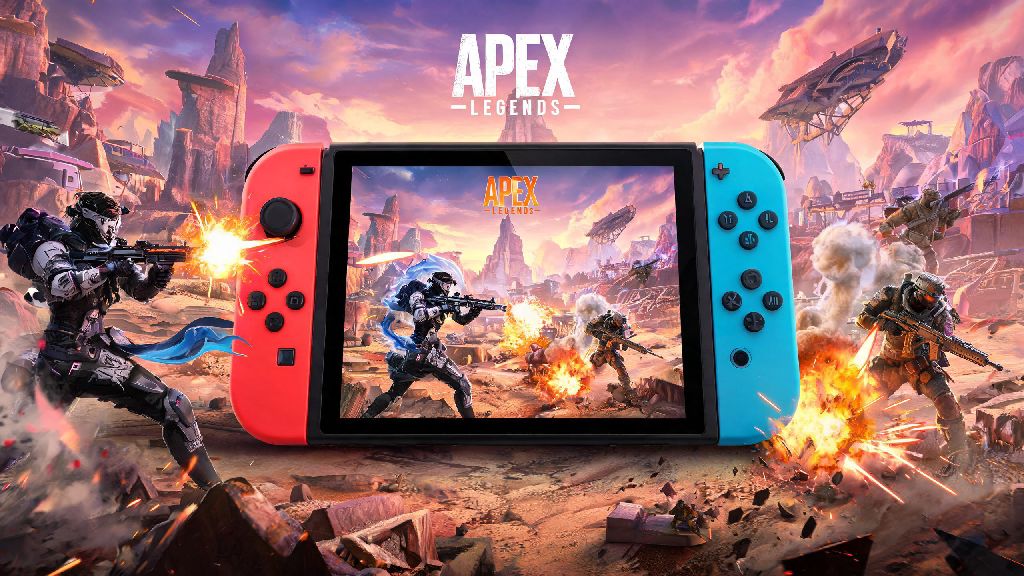
If you’re a portable gaming fan who loves fast-paced battle royales, you’ve almost certainly asked can you get apex legends on nintendo switch at some point, especially if you want to drop into King’s Canyon or World’s Edge without being tied to a TV or desktop setup. The good news is we’ve tested every part of the Switch port, from launch process to ranked performance, to give you all the unfiltered details you need before you hit download. We’ll also cover common pain points Switch players run into, plus easy tweaks to make your matches run as smoothly as possible.
Can You Get Apex Legends on Nintendo Switch, and Is It Worth Downloading?
The short answer is yes, Apex Legends has been available for Nintendo Switch since 2021, and it receives all the same seasonal updates, event content, and balance patches as versions for other platforms. It’s free to download directly from the Nintendo eShop, no base game purchase required, though you can buy cosmetic bundles and battle passes if you want extra unlockable content. The port was developed by Panic Button, the same studio behind well-regarded Switch ports of games like Doom and Wolfenstein, so the team had plenty of experience optimizing high-intensity games for the Switch’s weaker hardware.
You get almost all the same features as other console versions of the game, with only small performance tradeoffs to make the portable format work. Some of the core features included in the Switch port are:
There is no paywall to access the core game, so you can download it straight from the Nintendo eShop for free as long as you have enough storage space, which sits at roughly 25GB as of the latest seasonal update. That number will grow as new content is added, so we recommend leaving at least 5GB of extra space free for future patches to avoid installation issues. We recommend using a Pro Controller for competitive matches, as Joy-Con drift can mess with your aim during tense endgame circles if you don't regularly calibrate your controllers.
Performance Tweaks to Improve Your Apex Legends Switch Experience
The default settings for the Switch port are designed to work for all players out of the box, but there are a few small tweaks you can make to drastically improve performance and gameplay feel without sacrificing too much visual quality. First, head to the in-game settings menu and turn off automatic background downloads, as even small system updates running during matches can cause sudden frame drops that cost you fights. If you play primarily in handheld mode, lowering your screen brightness by 10-15% will not only extend your battery life by roughly an hour, but also reduce thermal throttling that causes consistent frame drops during long play sessions.
Most players spend 2-3 hours in a row grinding ranked matches, but it's smart to take 5-minute breaks every hour to avoid burnout and keep your reaction times sharp. You don't need to leave your Switch to take that break, either: lots of casual players use short, low-effort games to decompress between matches, and a popular pick for Switch users is Yono Slots, which fits perfectly into quick break windows without pulling you away from your console entirely.
Gyro aiming is a game-changer for Switch players, as it lets you make small, precise adjustments to your aim by tilting the controller, which gives you a big edge over players who only use analog sticks. You can adjust the gyro sensitivity separately from your regular analog sensitivity, so you can tweak it to match your playstyle without ruining your regular movement controls. Never play with unlinked EA accounts if you play on other platforms, because you'll lose all your battle pass progress and cosmetic unlocks if you switch devices later, and EA does not offer transfer support for unlinked accounts.
Common Apex Legends Switch Issues and How to Fix Them
Like any port to less powerful hardware, the Switch version of Apex Legends has a few common issues that players run into, almost all of which have simple fixes you can implement in a couple of minutes. The most common complaint is long load times, which are often caused by installing the game on a low-quality microSD card. To fix this, move the game to your Switch’s internal storage, which has much faster read speeds that can cut load times in half. If you don’t have enough internal storage space, invest in a high-speed U3 microSD card, which will give you almost the same load time performance as internal storage for a much lower cost.
Crossplay matchmaking issues are another common complaint, especially for players trying to join friends on other platforms. If you can’t see your friends in your in-game friend list, first double-check that your EA account is linked correctly to both your Switch profile and your friend’s platform account, then make sure crossplay is enabled in your in-game settings. If voice chat isn’t working, make sure your headset is compatible with the Switch, and that you’ve allowed voice chat permissions in both the Switch system settings and the Apex Legends in-game settings menu.
If you run into constant crashes, try deleting and reinstalling the game, as corrupted update files are the most common cause of repeated crashes on Switch. This won’t delete any of your progress, as all your account data is stored on EA’s servers, so you don’t have to worry about losing your unlocks. If you still run into crashes after reinstalling, make sure your Switch system software is updated to the latest version, as outdated system software often causes compatibility issues with newer game patches.
Is Ranked Play Viable on the Nintendo Switch Version of Apex Legends?
Many players worry that the Switch port’s lower frame rate and resolution will make ranked play impossible, but that’s not the case at all. The Switch version uses input-based matchmaking by default, so you’ll almost always be matched against other controller players regardless of what platform they’re on, which evens the playing field against PC players using mouse and keyboard. The frame rate is capped at 30fps for both docked and handheld mode, which can be an adjustment if you’re used to 60fps on other consoles, but most players get used to the difference after 5-10 matches.
Plenty of players have hit Master and even Predator rank playing exclusively on Switch, so it’s absolutely possible to climb the ranked ladder if you take the time to adjust your settings and get used to the hardware limitations. You will have a slight disadvantage in very fast, close-range fights against players on higher-end platforms, but good positioning and game sense will make up for that gap more often than not.
Stick to duos or trios if you're playing ranked on Switch, as playing with friends who can cover your weak points makes it far easier to climb ranks than playing solo against coordinated teams on other platforms. You can also turn off crossplay entirely if you only want to match against other Switch players, though queue times will be much longer, especially in higher rank tiers. Most players leave crossplay on, as the shorter queue times and larger player pool make for a better overall experience even with the small performance gap between platforms.
At the end of the day, the answer to can you get apex legends on nintendo switch is a resounding yes, and it's a great option for anyone who wants to play one of the best battle royales on the go. It has a few small performance tradeoffs compared to other platforms, but the core gameplay is exactly the same, and you get access to all the same content as players on Xbox, PlayStation, and PC. Whether you're a casual player who wants to drop a few matches on your commute or a competitive player looking to climb the ranked ladder on a portable device, the Switch port of Apex Legends is well worth downloading.