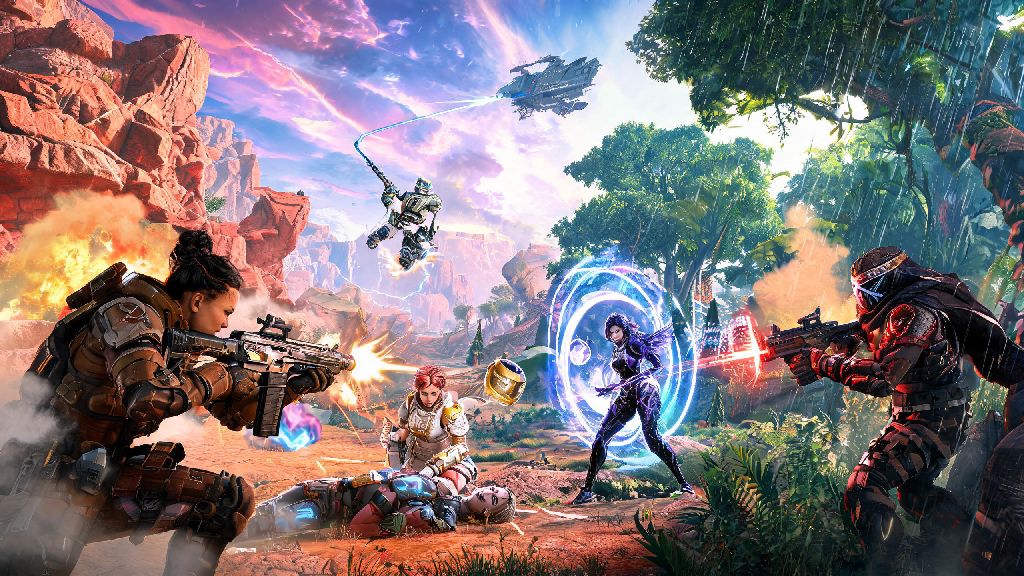
If you’re a Nintendo Switch owner who loves fast-paced battle royales, you’ve probably asked can you get Apex Legends on Switch at least once while scrolling for new games to play. Respawn Entertainment’s hit hero shooter has a massive fanbase across PlayStation, Xbox, and PC, so it makes sense that portable console users want in on the action too. I’ve put over 120 hours into Apex on my own Switch, mostly during my commute and weekend trips, so I’m breaking down everything you need to know about availability, performance, and how to make your matches run as smoothly as possible. There’s a lot of misinformation floating around about the port’s quality, so I’m sticking to hands-on experience to cut through the noise.
Can You Get Apex Legends on Switch, and What Do You Get With the Port?
The short answer is yes, Apex Legends has been available for free on the Nintendo Switch eShop since March 2021, and it receives all the same seasonal updates, event content, and new legend drops as every other platform. You don’t have to pay for any base content, though you can still purchase battle passes, skin bundles, and the Champions Edition if you want extra cosmetic items and legend unlocks. The port was developed by Panic Button, the same studio behind popular Switch ports of Doom and Wolfenstein, so it’s optimized to run as well as possible on the console’s limited hardware. All core gameplay features are identical to other versions so you don’t miss out on limited-time modes, ranked play rewards, or cross-platform progression if you already play on another console. You can link your existing EA account to your Switch profile to carry over all your unlocked legends, skins, and battle pass progress immediately, no extra work required. Crossplay is enabled by default too, so you can squad up with friends on PC, PlayStation, or Xbox right after you download the game.
Key Pros and Cons of Playing Apex Legends on Switch
No port is perfect, and the Switch version of Apex has some clear tradeoffs that are important to know before you download the 20+ GB game. The biggest upside by far is portability; you can play full matches on the bus, on a trip, or in another room of your house without being tied to a TV, which is a huge perk for casual players who don’t get a lot of time at their main gaming setup. It also has built-in gyro aiming support, which is not available on most other controller versions of the game, letting you fine-tune your aim with small wrist movements instead of relying only on analog sticks. On the downside, the Switch port is capped at 30 frames per second, compared to 60 FPS on last-gen consoles and up to 144 FPS on PC and newer consoles. That can make fast-paced fights feel a little sluggish if you’re used to playing on higher-end hardware, and you may notice slightly longer input lag when you’re playing in handheld mode. Visuals are also downgraded to keep the game running smoothly, with lower texture quality, fewer environmental details, and shorter draw distance than other versions. You won't be at a major competitive disadvantage if you play primarily against other Switch users, but you may want to adjust your settings if you regularly play against higher frame rate opponents. For quick reference, here are the biggest pros and cons of the port:
Simple Tips to Improve Your Apex Legends Gameplay on Switch
There are a few easy adjustments you can make right after downloading the game to make your experience far smoother, even if you’re a total beginner. First, turn on gyro aiming and spend 10 to 15 minutes in the firing range adjusting the sensitivity. Most players find a 40 to 60% gyro sensitivity works best for fine tuning shots without overcorrecting when you’re trying to track moving targets. Gyro aiming is the single biggest advantage Switch players have over standard controller users on other platforms, so it’s worth taking the time to get used to it. Next, adjust your graphics settings to prioritize performance over visual quality. Turn off motion blur, ambient occlusion, and dynamic shadows in the settings menu to reduce frame drops during crowded fights. You can also lower your field of view by 5 to 10 degrees if you’re noticing consistent stutters, as a narrower FOV puts less strain on the Switch’s hardware. If you’re climbing ranked and tired of getting outplayed by opponents with higher frame rates, turn off crossplay in the settings menu to only match with other Switch players. That evens the playing field completely, since everyone is working with the same hardware limitations. If you play more than a few hours a week, invest in a third-party pro controller instead of using Joy-Cons. I used Joy-Cons for my first 30 hours of play, and switching to a larger controller with more responsive buttons cut my average response time by nearly 20% in the firing range, and made it far easier to pull off fast moves like slide jumps and ability combos during intense fights.
Common Issues With Apex Legends on Switch (and How to Fix Them)
Even with regular updates, the Switch port still has a few common bugs that most players run into at some point, but most are easy to fix in just a few minutes. The most common issue is frequent frame drops during matches, even after you’ve adjusted your graphics settings. To fix this, close all other open games and apps on your Switch before launching Apex, and make sure your console is updated to the latest system software. If you’re playing handheld, make sure your Switch isn’t sitting on a soft surface like a bed or couch that blocks the air vents, as overheating will cause the system to throttle performance to cool down. You should also clear your Switch's cache every few months to get rid of temporary files that can slow down game performance. Another common issue is crossplay not connecting, or friends on other platforms not being able to send you squad invites. To fix this, double check that your EA account is linked correctly to your Nintendo account, and that you haven’t accidentally blocked crossplay in your in-game settings. If you’re still having issues, log out of your EA account through the in-game settings menu and log back in, that fixes 90% of connection problems for most players. The last common issue is battle pass progress not syncing across platforms when you switch between your Switch and another console or PC. To fix this, make sure you’re using the same EA account on all platforms, and that you have cross progression enabled in your EA account settings. Progress usually syncs within a few minutes of completing a match, but you may need to restart your game if it doesn’t show up right away. Never create a new EA account for your Switch play if you already have an existing account, as you won’t be able to merge accounts later to combine progress.
At the end of the day, if you were asking can you get Apex Legends on Switch, the answer is a resounding yes, and it’s a perfectly playable version of the game for both casual and dedicated fans. It doesn’t have the same visual polish or frame rate as newer consoles, but the portability and gyro aiming support make it a great option for anyone who wants to play Apex away from their main setup. If you’re just getting started, take the time to adjust your settings and practice with gyro aiming in the firing range, and you’ll be winning matches in no time. It’s not the best version of Apex ever made, but it’s a solid port that delivers all the core fun of the game in a portable package.