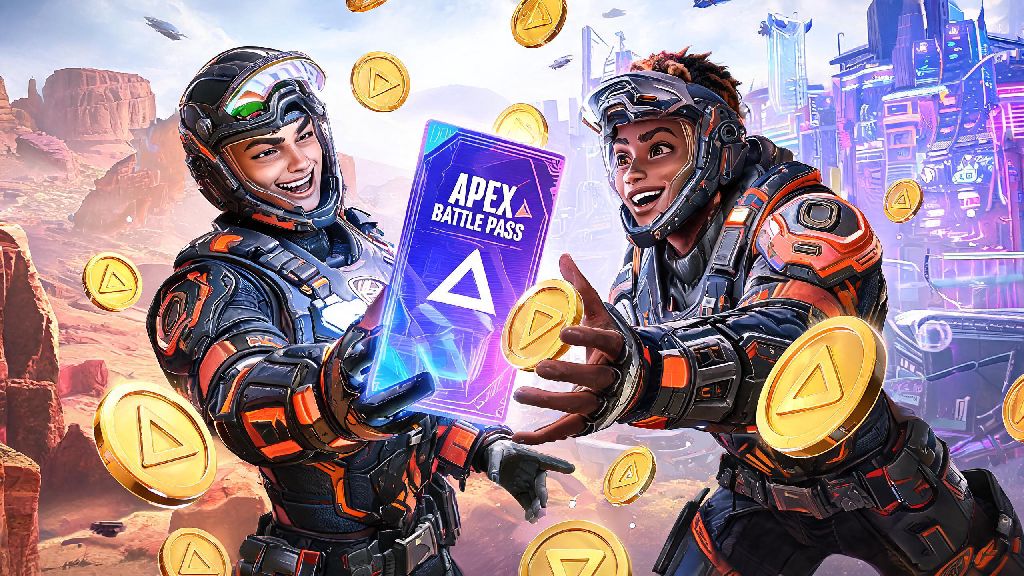
If you’ve got leftover Apex Coins burning a hole in your in-game wallet, or you want to reward a squad mate who carried you through half your ranked matches this season, you’ve probably wondered can you gift the battle pass in Apex Legends. Gifting is one of the most requested features in the game, and Respawn rolled out support for it a few years back to make it easier for players to share rewards with their friends. But there are a lot of unspoken rules and restrictions that trip players up, even long-time fans who’ve been playing since launch. This guide breaks down everything you need to know to send a battle pass without wasting coins or running into errors.
Can You Gift the Battle Pass in Apex Legends: Official Eligibility Rules
The short answer is yes, you can gift a battle pass to another player, but only if both your accounts meet a small set of requirements put in place by Respawn to prevent fraud and misuse of the gifting system. These rules apply across all platforms, and you won’t be able to complete the purchase if even one requirement is unmet. The core eligibility rules are:
Respawn added these rules specifically to cut down on account hijacking incidents, where bad actors would gain access to a player’s account and drain all their Apex Coins by gifting items to their own accounts. The two week friend rule is the most common one that trips players up, so if you just added a new friend you want to gift a pass to, you’ll have to wait a full two weeks before the option becomes available.
Step-by-Step Process to Gift an Apex Legends Battle Pass
Gifting a battle pass only takes a few clicks once you meet all the eligibility requirements, and the process is almost identical across all platforms. First, launch Apex Legends and navigate to the main Store tab from the home screen. You can either go directly to the current season’s battle pass page, or search for “battle pass” in the store’s search bar to pull up the available options.
You’ll see two options for the current battle pass: the standard version for 950 Apex Coins, and the premium bundle for 2800 Apex Coins that comes with 25 pre-unlocked levels and exclusive seasonal cosmetics. Pick whichever one you want to send, then click the Gift button directly next to the Buy button. If you don’t see the Gift button, that means either you or the recipient doesn’t meet the eligibility rules, or gifting is temporarily disabled for the current season.
Next, you’ll see a list of all your friends that qualify to receive the pass. Pick the correct friend from the list, double check their username to make sure you’re not sending it to the wrong person, then confirm the purchase. The recipient will get an in-game notification the next time they log into Apex, and the battle pass will be automatically added to their account. I almost messed this up last season when I tried to send a pass to my friend Jake, and almost selected a random user with a similar username from my friends list, so always take an extra second to confirm the right account.
Keep in mind that all gifting purchases are final. You won’t be able to get a refund for a battle pass you sent by mistake, even if the recipient never claims it. The system will also automatically block the purchase if the recipient already owns the current season’s battle pass, so you don’t have to worry about wasting coins on a duplicate.
Common Restrictions That Stop You From Gifting Battle Passes
Even if you meet all the basic eligibility rules, there are a few less obvious restrictions that can stop you from sending a battle pass. The biggest one is that gifting is platform-locked, meaning you can only send a pass to someone who plays on the same platform as you. If you play on PC and your friend plays on Xbox, you won’t see them in the eligible gifting list, even if you’ve been friends for years.
This restriction comes from the platform holders, not Respawn. Each console and store platform has its own rules for digital purchases and gifting, so Respawn can’t bypass those rules to allow cross-platform gifting right now. The dev team has mentioned they’re looking into adding cross-platform gifting in a future season, but there’s no official release date for that feature as of now.
You also can only gift the current active season’s battle pass. You can’t send passes for past seasons, even if the recipient never bought it and wants to unlock old rewards. If the current season is less than 24 hours from ending, the gifting option will be disabled entirely, so don’t wait till the last day of the season to send a pass to your friend.
Another common restriction is that you can’t use real money directly to gift a battle pass. You have to first purchase Apex Coins with your credit card, gift card, or other payment method, then use those coins to send the pass. If you don’t have enough coins in your account, you’ll be prompted to buy more before you can complete the gifting process.
Alternatives If You Can't Gift a Battle Pass Directly
If you can’t send a battle pass directly, whether because of platform locks or the two week friend rule, there are a few easy workarounds that work just as well. The most reliable one is to send the recipient a digital gift card for their specific platform. You can buy PlayStation, Xbox, Steam, or Nintendo eShop gift cards online in almost any amount, and send them directly to the recipient’s email. They can then use the gift card to buy Apex Coins and pick up the battle pass themselves.
Just make sure the gift card is for the correct region. Gift cards are region-locked, so a US Steam gift card won’t work for a friend who lives in the UK, and a European PlayStation card won’t work for someone in Canada. Most online gift card retailers let you pick the region before you purchase, so double check that before you pay.
If you’re close with the recipient and have their permission, you can also log into their Apex account directly from your device (if you’re on the same platform) and buy the battle pass for them using your Apex Coins or payment method. Just make sure you have their explicit permission to access their account, because violating platform terms of service for account sharing can lead to bans for both accounts.
You can also keep an eye on official Apex Legends community events, which sometimes give away free battle pass codes that you can send to friends. Respawn often runs these events during big seasonal updates or esports tournaments, so following the official Apex social media accounts is a good way to catch those opportunities when they pop up. I got a free battle pass code from a Twitch drop during the last Apex Global Series tournament, and sent it to my little brother who can’t afford to buy passes every season, and it worked perfectly.
At the end of the day, the answer to can you gift the battle pass in Apex Legends is a definite yes, as long as you follow the official eligibility rules and account for platform restrictions. Gifting is a great way to reward your squad, celebrate a friend’s birthday, or just help someone out who doesn’t have the extra cash to pick up the pass for themselves. If you run into any errors when trying to gift, you can check the official Respawn support page for troubleshooting tips, or reach out to your platform’s customer support for help with purchase-related issues. Next time you’ve got extra Apex Coins lying around, sending a battle pass to a friend is one of the best ways to use them.