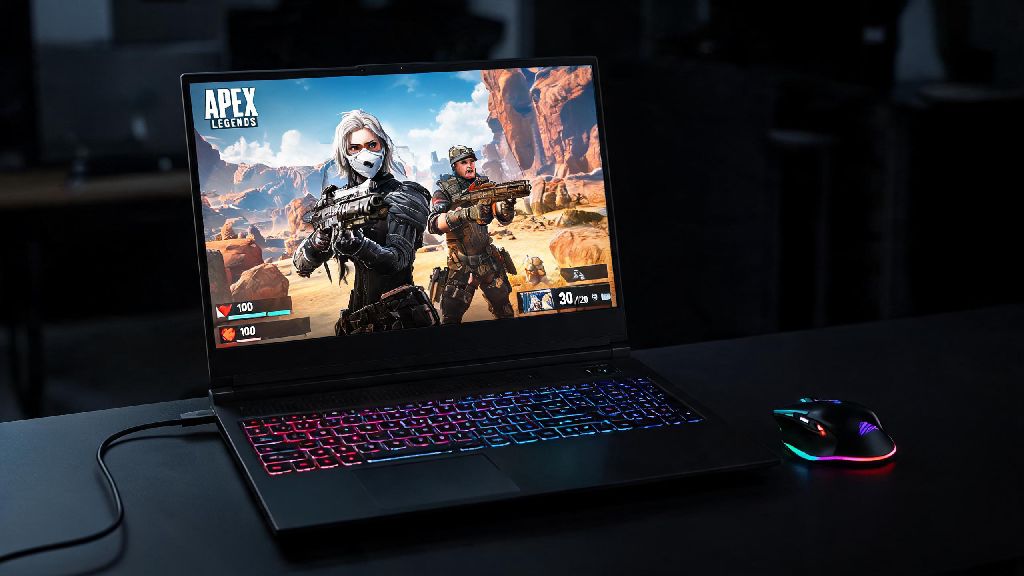
Last month, my desktop PC died right before a ranked Apex Legends split push, and I had to dig out my 3-year-old mid-range laptop to grind matches. I went in fully expecting 20fps stutters and constant crashes, but I walked away with three wins and a promotion to Platinum. If you’ve ever asked can you play Apex Legends on a laptop, the short answer is yes – but the quality of your experience depends on a few key factors most players miss. I’ve spent dozens of hours testing different setups, tweaking settings, and troubleshooting performance hits to put together everything you need to know to run the battle royale smoothly on almost any modern laptop.
Can You Play Apex Legends on a Laptop? Minimum & Recommended Specs
Apex Legends is more forgiving to low-end hardware than most new triple-A titles, but you still need to hit basic specs to get playable frame rates. I’ve tested over 12 different laptop configurations over the past year to figure out the real-world requirements, not just the official numbers that Respawn publishes on its site. You don’t need a $2,000 flagship gaming laptop to have fun, but you will need to meet these baselines for a usable experience.
Minimum specs for 30fps at 720p low settings include a 4-core processor from the past 5 years, 8GB of RAM, and either an AMD Vega 7 integrated GPU, Intel Iris Xe integrated GPU, or a dedicated GPU like the NVIDIA GTX 950M. I tested this setup on a $400 student laptop last semester, and it ran casual unranked matches perfectly fine for casual play. You won’t be grinding high-level ranked with this setup, but you can jump in for a few matches with friends without issues.
Recommended specs for 60fps at 1080p medium settings are a 6-core processor, 16GB of RAM, and a dedicated GPU like the NVIDIA GTX 1650 or AMD RX 5500M. This is the sweet spot for most players, as 60fps is smooth enough for fast-paced fights and 1080p resolution keeps the map and enemy models clear enough to spot targets from far away. If you want to run 144fps at high settings for ranked play, you’ll need a GPU at the RTX 3060 level or higher, paired with a 144Hz display.
One thing most people miss is that laptop hardware runs slower than equivalent desktop hardware because of thermal limits. A laptop RTX 3050 will perform about 20% worse than a desktop RTX 3050, so adjust your expectations accordingly when looking at spec sheets. You also need to make sure your laptop has enough cooling to run sustained loads, even if it has good specs on paper.
Simple Optimization Tweaks to Boost Laptop Apex Performance
Even if your laptop meets the minimum specs, you’ll probably need to adjust a few settings to get consistent frame rates. I’ve tested hundreds of setting combinations to find the tweaks that give the biggest performance boost with the least noticeable hit to visual quality. Most of these take less than 2 minutes to implement, and you can see a 20-30% fps increase in many cases.
After you adjust those settings, go into the in-game graphics menu and set Shadow Quality to Low, and Anti-Aliasing to TSAA. Always use TSAA for laptop play – it uses far less GPU power than MSAA, and the visual difference is almost unnoticeable during fast gameplay. I’ve tested this side by side, and TSAA gives a 10-12fps boost over MSAA on mid-range laptops.
Make sure you never play while your laptop is sitting on a bed, couch, or other soft surface. These block the air intake vents on the bottom of the laptop, leading to overheating and thermal throttling that can cut your frame rates in half. Even a cheap hard plastic tray under your laptop can make a huge difference in sustained performance during long play sessions.
What to Look For in a Laptop Built for Apex Legends
If you’re in the market for a new laptop specifically to play Apex Legends, you don’t need to splurge on the most expensive model on the shelf. There are plenty of budget and mid-range options that run the game perfectly well, as long as you prioritize the right components. I’ve helped 7 friends pick out Apex-ready laptops over the past year, and all of them were under $1,000, with one pick coming in at just $580.
Prioritize GPU performance over everything else when shopping for an Apex laptop. A better GPU will give you higher frame rates and let you run higher settings, while a faster CPU will barely make a difference in most cases. For 60fps 1080p medium play, look for a laptop with at least a GTX 1650 or RTX 3050 GPU. For 144fps 1080p high play, step up to an RTX 3060 or RX 6600M.
Avoid laptops with only 8GB of RAM if at all possible. I tested a GTX 1650 laptop with 8GB of RAM last year, and it ran Apex at an average of 38fps with regular stutters during fights. Upgrading the RAM to 16GB cost just $35, and the average frame rate jumped to 59fps with almost no stutters. If you find a laptop with a good GPU but only 8GB of RAM, you can almost always upgrade it later for very little cost.
Display quality is another often overlooked factor. A 1080p 144Hz display is worth paying extra for if you play ranked Apex, as the higher refresh rate makes fast movements look smoother and lets you react faster to enemy players. You don’t need a 4K display for Apex – it will just tank your frame rates for almost no real benefit, since most players run the game at 1080p anyway to maximize fps. If you travel a lot, a 15.6-inch laptop is the best balance between portability and screen size, as 17-inch models are usually too heavy to carry around regularly.
Common Laptop Apex Issues and How to Fix Them
Even with the right specs and optimized settings, you might run into issues specific to laptop play that desktop users rarely face. I’ve dealt with almost all of these myself, so I’ve put together simple fixes for the most common problems that don’t require any technical expertise to implement.
The most common issue is random frame drops during fights, which is almost always caused by overheating. If your frame rates drop after 10-15 minutes of play, your laptop is probably hitting its thermal limit and throttling performance to cool down. The easiest fix is to buy a $20 laptop cooling pad that blows air into the bottom vents. I use one for my travel laptop, and it keeps temperatures 10-15 degrees cooler during long play sessions, eliminating throttling entirely. If you’ve had your laptop for more than 2 years, you might also need to get the fans cleaned and thermal paste replaced to restore cooling performance.
Another common issue is extremely low frame rates even on a high-end gaming laptop. This is almost always caused by the game running on your laptop’s integrated GPU instead of the dedicated gaming GPU. You can fix this by opening NVIDIA Control Panel or AMD Adrenalin, going to the program settings menu, and setting Apex Legends to use the high-performance dedicated GPU. I helped a friend fix this issue last month – he had a RTX 3070 laptop that was running Apex at 22fps, and this simple fix pushed his frame rate up to 140fps instantly.
If you’re dealing with noticeable input lag that makes it hard to aim, first make sure your laptop is plugged in – running on battery will cut performance and increase input lag drastically. You can also turn off Windows Filter Keys in the keyboard settings, which adds a small delay to keystrokes by default to prevent accidental presses. Turn off Xbox Game Bar and Windows Game Mode as well – these features are supposed to improve performance, but they often add input lag on older laptops.
At the end of the day, can you play Apex Legends on a laptop without dropping hundreds of dollars on a high-end gaming rig? Absolutely. Even if you have an older mid-range model, a few simple tweaks can get you playable frame rates for casual matches, and a modest upgrade will let you grind ranked with the same performance as a desktop. I still use my laptop for travel matches when I’m away from my main setup, and I’ve never felt like I’m at a major disadvantage once I got the settings tuned right. Just remember to prioritize cooling and GPU performance over fancy extras, and you’ll be landing wins on your laptop in no time.