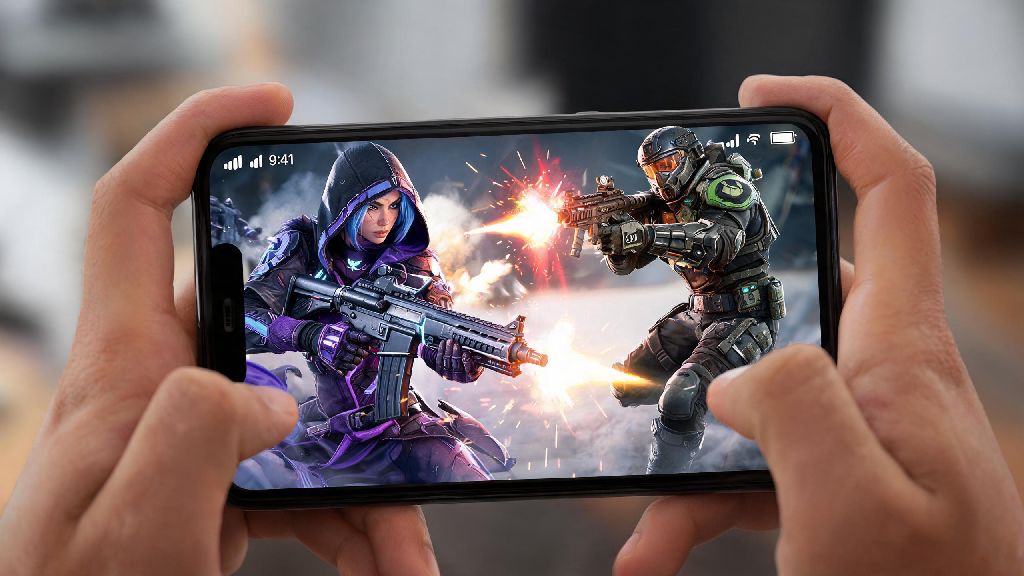
There’s nothing worse than being stuck on a long bus ride or waiting for your squad to log on for PC matches, and wishing you could get a few rounds of Apex Legends in on the go. If you’ve found yourself asking can you play Apex Legends on Android, you’re not alone. Thousands of battle royale fans search for this exact question every month, looking for ways to bring the fast-paced, hero-based action they love to their pocket-sized device. We’ve tested every available method to play the game on Android, broken down the pros and cons of each, and rounded up all the official news you need to know before you try.
Official Status of Apex Legends for Android Devices
First, let’s clear up the most common confusion around mobile Apex. There is no official standalone Apex Legends Android app available for download as of current updates, so any site claiming to have a direct APK for the full game is almost certainly a scam, full of malware or fake login pages designed to steal your EA account credentials. The original dedicated Apex Legends Mobile app launched in 2022 but was shut down a year later, as Respawn Entertainment chose to pivot their mobile development strategy.
The original mobile release was a standalone build with exclusive characters, maps, and cosmetics that didn’t line up with the PC and console versions of the game, so Respawn decided to sunset it to focus on building a single, unified version of Apex that works across all platforms when they eventually re-launch for mobile. While Respawn has hinted that they may release a new unified cross-platform version of the game for mobile in the future, there is no set release date for anyone hoping to play Apex Legends on Android natively anytime soon.
That doesn’t mean you’re completely out of luck, though. There are several fully legitimate, EA-approved ways to access the full PC/console version of Apex Legends on your Android device right now, no sketchy downloads required.
Working Methods to Play Apex Legends on Android
All current legitimate methods to play the full version of Apex on Android rely on streaming, since there is no native app. These methods stream the game from a remote or local gaming rig to your phone, so you don’t need to download any large game files to your device. The most reliable options are listed below:
For cloud gaming, platforms like GeForce Now and Xbox Cloud Gaming both support Apex Legends, so if you have a subscription to either, you can just search for the game in the app, log in to your EA account, and start playing immediately. Remote play for PC works with tools like Steam Link, which connects directly to your Steam library where you have Apex installed, and PlayStation remote play works with the official PS Remote Play app for Android, as long as your PS4 or PS5 is turned on and connected to the internet.
If you don’t want to commit to a full monthly cloud gaming subscription just to test playing Apex on Android, you can look for platforms that offer pay-per-hour access or bundle gaming access with other entertainment perks. Many casual players who only play a few times a month use YonoVIP to access a range of cloud gaming options and other mobile entertainment tools without paying for multiple separate subscriptions.
No matter which method you choose to play Apex Legends on Android, you’ll need to log in to your existing EA account to access your existing skins, rank progress, and friend list. That means you don’t have to start over from scratch if you already play on PC or console, which is a huge plus for most players.
Minimum Requirements for Smooth Apex Legends Play on Android
Even though you’re streaming the game instead of running it natively, your Android device still needs to meet some basic requirements to handle the stream and control input without lag. First, hardware requirements: Your Android device needs to be running Android 10 or higher, with at least 4GB of RAM and a Snapdragon 660 (or equivalent) processor to handle cloud streaming or remote play without stuttering or crashing. If you plan to use touch controls, you’ll want a phone with a 6-inch or larger screen to avoid missing small buttons or swiping the wrong way during fights.
Your internet connection is even more important than your device specs for smooth play. A 5G or low-latency Wi-Fi connection with less than 40ms ping is non-negotiable if you want to be competitive, because even 100ms of lag will make it impossible to hit your shots or react to enemy attacks. If you’re playing on public Wi-Fi, make sure the network isn’t throttling streaming speeds, or you’ll experience constant stuttering mid-match.
If you’re looking to play Apex Legends on Android regularly, you may want to invest in a portable phone cooling fan too, since extended streaming can make your phone overheat and throttle performance, leading to lag during critical fights. Using a wired controller instead of bluetooth will also cut down on input lag even more, which is a huge help for fast-paced fights. If you prefer touch controls, you can customize the control layout in most streaming apps to move buttons to positions that feel comfortable for your hands, but even the best custom layout won’t be as responsive as a physical controller for high-stakes ranked matches.
Important Risks to Avoid When Playing Apex Legends on Android
While there are plenty of safe ways to play Apex on Android, there are also a lot of scams and risks you need to watch out for to protect your device and your account. The biggest risk by far is fake APK files: Never download any "Apex Legends Android APK" from untrusted third-party sites, because these are almost always laced with malware, or will ask you to enter your EA account details to log in, which will get your account stolen or banned.
You also need to be careful with unlicensed cloud gaming services. Some unregulated platforms will let you play Apex, but they use modified versions of the game that can trigger EA anti-cheat bans, even if you didn’t mean to cheat. EA’s anti-cheat system actively flags accounts that access the game through unregulated modified clients, so even if you don’t use cheats, you could lose your account permanently just for using an unlicensed service to play. Stick to well-known, established cloud gaming platforms to avoid this risk entirely.
Another common mistake people make is forgetting about mobile data usage. Streaming Apex for an hour uses around 10-15GB of data, so if you’re on a limited mobile data plan, you’ll want to stick to Wi-Fi only to avoid overage charges that can add up fast. If you use remote play, make sure your home PC/console is set to require a login to access, so no one else can access your device through the remote play app if your phone is lost or stolen.
At the end of the day, the answer to can you play Apex Legends on Android is yes, as long as you use legitimate, safe methods like cloud gaming or official remote play tools. While there’s no standalone app right now, the experience you get from high-quality cloud streaming is almost identical to playing on PC or console, especially if you have a strong internet connection and a good controller. Stick to trusted platforms, avoid untrusted APKs, and you’ll be getting kills and climbing ranks on your Android device in no time.