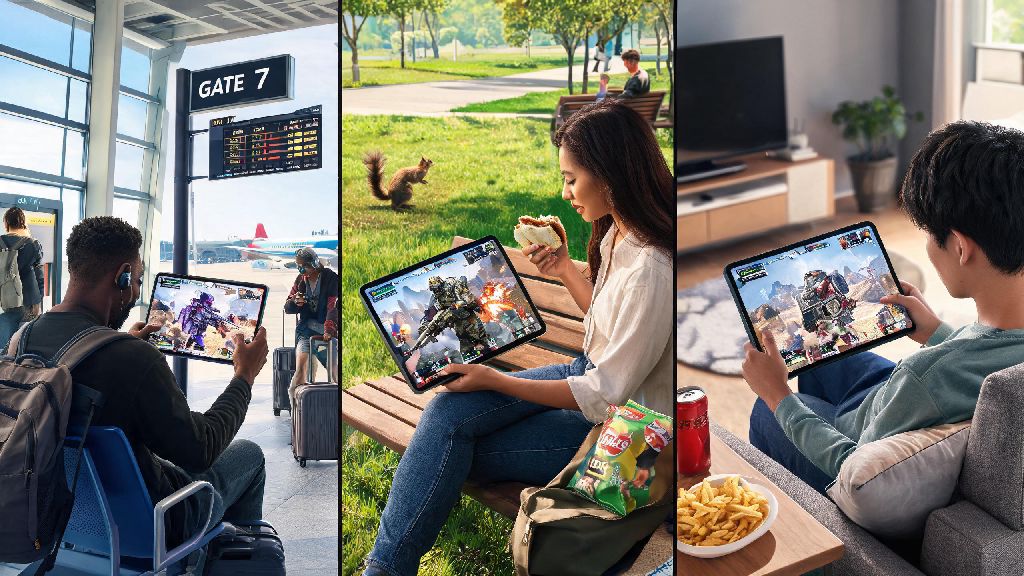
If you’re a diehard Apex Legends fan who spends a lot of time away from your PC or console, you’ve almost certainly asked can you play apex legends on mobile at some point. There’s nothing worse than being stuck waiting for a flight, sitting through a boring lunch break, or hanging out at a friend’s place without access to your main gaming setup, itching to jump into a match and grind your battle pass. The answer isn’t as straightforward as it used to be, since the dedicated mobile launch had a short lifespan, but there are still workable options for players who want to play on the go. We’ll break down everything you need to know, from legitimate access methods to performance tips and potential risks to avoid.
What Happened to the Official Apex Legends Mobile Release?
Back in 2022, Respawn Entertainment launched a fully native version of Apex Legends Mobile for iOS and Android, built specifically for touch controls with exclusive mobile-only characters, game modes, and battle pass rewards. It was well-received by fans for its smooth performance and accurate translation of the core Apex gameplay to mobile devices. Unfortunately, Respawn announced in late 2022 that they would be shutting down the service, with the final servers going offline in May 2023.
The shutdown came down to challenges with maintaining a consistent content pipeline that matched the pace of the main PC and console versions of the game. Respawn stated that they couldn’t deliver the quality of updates that mobile players expected while also supporting the main game, so they made the decision to end support entirely. If you still have the old app installed on your phone, it won’t launch or connect to any servers, and it’s no longer available for download on official app stores.
Legitimate Ways You Can Play Apex Legends on Mobile Right Now
Even without a native dedicated app, there are still two fully legitimate ways to access the live version of Apex Legends on your mobile device, both relying on streaming technology. Cloud gaming is the only legitimate way to access the current live version of Apex Legends on mobile without owning a PC or console. Services like NVIDIA GeForce Now, Xbox Cloud Gaming, and Amazon Luna let you stream the full PC or console version of the game directly to your phone, with full access to your existing account progression, skins, and cross-play lobbies. You will need an active subscription to one of these services, plus a strong internet connection, but you get the exact same gameplay experience as you would on a non-mobile device.
The second option is remote play, which works if you already own a PC or console with Apex Legends installed. Apps like Steam Link, PS Remote Play, or Xbox Remote Play let you stream the game directly from your own device to your phone, either over your local Wi-Fi network or even over cellular data if your home internet has good upload speeds. There’s no extra subscription required for this method, other than the online services you already pay for to play Apex on your main setup.
Of course, there are going to be times when you don’t have access to a strong enough connection to stream a fast-paced battle royale. A lot of players keep low-stakes, low-bandwidth casual games on their phones for these exact gaps, when you just want to pass the time without worrying about lag ruining a match. A popular pick for many players in this category is IND Rummy, a quick, easy to pick up card game that works perfectly even on slower 4G connections. Once you’re back to a stable connection, you can jump right back into your Apex matches without missing a beat.
We strongly advise against downloading unofficial "Apex Mobile" APKs from unknown third-party sites. These apps are almost always loaded with malware, designed to steal your Apex account credentials, or are straight up scams that don’t work at all. Logging into your EA account through one of these unofficial ports can also lead to a permanent ban on your main Apex account, so it’s never worth the risk.
Performance Tips for a Smooth Apex Legends Mobile Play Experience
Even with a good internet connection, there are a few small tweaks you can make to drastically improve your experience playing Apex on mobile. First, prioritize your internet connection: connect to a 5GHz Wi-Fi network instead of a 2.4GHz one if you can, since it has faster speeds and less interference from other devices. If you’re playing on cellular data, turn on low data mode in your cloud gaming app to reduce the amount of bandwidth the stream uses, which cuts down on lag in areas with spotty 5G coverage.
Next, adjust your controls to fit your playstyle. If you’re using touch controls, most streaming apps let you create custom overlay layouts, so you can move the fire, ping, and ability buttons to spots that are easy to reach with your thumbs. You can also adjust the size of the buttons to make them bigger if you have a smaller screen, or smaller if you want less of the display covered up. Turn off auto-brightness when playing to avoid unexpected dips in screen visibility mid-fight, since it can make it hard to spot enemies hiding in dark corners.
If you play regularly, investing in a portable Bluetooth controller is one of the best upgrades you can make. Touch controls will never be as precise as a physical controller, and most modern controllers connect to iOS and Android devices in seconds with no extra setup required. Most cloud gaming services let you map controls specifically for Apex, so take 10 minutes to set this up before your first match to avoid fumbling with wrong button binds during a fight. You should also turn off battery saver mode on your phone while playing, since it throttles your device’s performance and can lead to choppy stream quality.
Pros and Cons of Playing Apex Legends on Mobile
Playing Apex on mobile is a great option for casual players, but it’s not perfect for every use case. The biggest upside is that you can play from almost anywhere, as long as you have a solid internet connection. You can grind battle pass levels, practice with new characters, or play casual matches with friends even when you’re away from your main setup, so you never fall behind on rewards. You also get full access to your existing account, so all the skins and progression you earn on mobile carry over directly to your PC or console account.
There are some pretty significant downsides to keep in mind too, especially if you’re a competitive player. The biggest issue is input lag: even on the best cloud gaming services, you’ll have slightly more delay between pressing a button and the action happening in game, compared to playing on a native PC or console. You’re also at a significant disadvantage if you’re playing against mouse and keyboard players on touch controls, since you won’t have the same level of precision with your aim. If you're a competitive player chasing high ranked ranks, mobile play is best reserved for casual matches or practice rather than high-stakes ranked games.
Another thing to consider is cost: if you don’t already own a PC or console for remote play, you’ll have to pay for a monthly cloud gaming subscription to access Apex on mobile, which adds up over time. You also run the risk of getting disconnected mid-match if you move out of Wi-Fi range or your cellular data cuts out, which can lead to lost RP or temporary cooldowns for abandoning matches. If you only play a few times a month, the subscription cost might not be worth it for the amount of use you’ll get out of it.
At the end of the day, the answer to can you play apex legends on mobile is yes, as long as you stick to legitimate streaming or remote play options. It’s not as seamless as a native mobile app would be, and it’s not ideal for competitive ranked play, but it’s a solid option for casual players who want to jump into the game when they’re away from their main setup. Test out different cloud gaming services or remote play options to see which works best for your internet connection and device, and don’t be afraid to tweak your controls and stream settings to find what feels most comfortable for you.