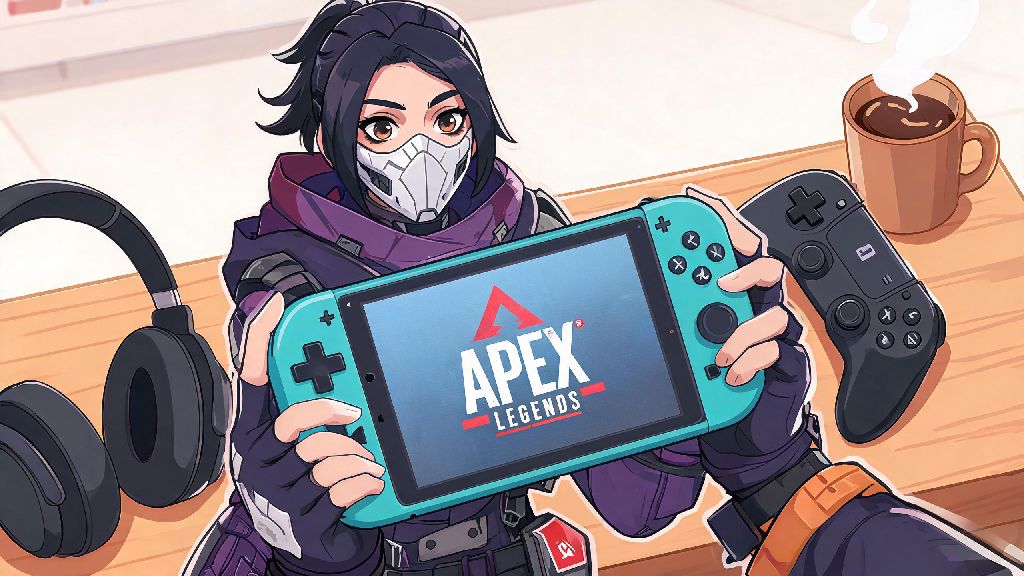
If you’re a portable gaming fan who loves fast-paced battle royales, you’ve probably wondered can you play Apex Legends on Nintendo Switch Lite at some point. The Switch Lite is designed for on-the-go play, so being able to jump into a match of Apex while commuting or waiting for a friend sounds like a dream come true. But before you download the 25+ GB file and spend hours waiting for updates, it’s worth knowing exactly what to expect from the experience, from performance to controls to features you might miss out on.
Can You Play Apex Legends on Nintendo Switch Lite: Official Compatibility Breakdown
The short answer is yes, you absolutely can play Apex Legends on the Nintendo Switch Lite without any extra hardware. Unlike some Switch titles that require a separate dock or Joy-Cons for certain modes, Apex is fully compatible with the Switch Lite’s built-in controls right out of the box. Respawn Entertainment rolled out official Switch support for Apex back in 2021, and the version is updated alongside all other console versions to keep crossplay and season content aligned. That means you don’t have to worry about missing out on new legends, map updates, or limited-time events just because you’re playing on a portable Switch model.
Crossplay is fully enabled for Switch Lite users, so you can play with friends on other consoles, PC, and mobile too. Full cross-progression is supported across all platforms, so any progress you make on your Switch Lite will carry over to your PC or other console accounts if you decide to upgrade later. But that compatibility doesn’t mean the experience is identical to playing on a PS5, Xbox Series X, or even a standard Switch docked to a TV. There are key differences you should know before you queue for your first match.
Key Performance and Gameplay Differences on Switch Lite
First, let’s cover the specs that will directly impact your matches. The Switch Lite runs Apex at a dynamic 720p resolution in handheld mode, which drops to as low as 500p during busy fights with lots of effects and multiple players on screen. Framerate is capped at 30 FPS, and you will notice occasional dips during end-game circles or when using abilities like Bangalore’s smoke or Gibraltar’s ultimate. That might feel jarring if you’re used to playing Apex at 60+ FPS on PC or a newer console, but it’s consistent enough for casual play. The built-in controls are another big adjustment. The Switch Lite has smaller joysticks and buttons than standard Joy-Cons, so you might find it harder to hit precise aim shots or quickly swap weapons and abilities at first. You can adjust controller sensitivity in the settings to compensate, but it will take a few matches to get used to the smaller layout. You also won’t get HD rumble support on the Switch Lite, so you won’t feel subtle cues like nearby enemy footsteps or the hum of a deployed Octane jump pad through your controller.
Some of the most common pain points new Switch Lite Apex players face include:
That doesn’t mean the experience is unplayable, though. Many casual players put hundreds of hours into Apex on Switch Lite without any major issues, and the game is still regularly updated by Respawn to fix performance bugs and add quality of life features for Switch users. For example, a 2023 update cut load times by nearly 20% for all Switch models, and further performance patches are released every few months alongside regular season content drops.
Actionable Tips to Improve Your Apex Experience on Switch Lite
Just because the Switch Lite has some limitations doesn’t mean you can’t have a great time (or even climb ranks) playing Apex on it. The first and most impactful tip is to turn off crossplay with PC and next-gen console players if you’re frustrated with getting outplayed by players with higher framerates and better hardware. You can adjust this in the game’s settings menu, and it will match you only with other Switch and mobile players, creating a much more level playing field. If you’ve spent weeks wondering can you play Apex Legends on Nintendo Switch Lite without buying extra accessories, you’ll be happy to hear that you don’t need any extra controllers or attachments to play well, though a grip can make longer sessions more comfortable for players with larger hands.
Next, take 10 minutes to customize your controller layout before you jump into a match. Most long-time Switch Apex players switch the crouch button to the left trigger and the jump button to the right trigger, so you don’t have to take your thumbs off the joysticks to perform movement tech like slide jumps or wall bounces. You should also turn down all non-essential graphical settings to boost performance. Disable motion blur, turn down character and weapon effects, and lower the field of view slightly to reduce the load on the Switch Lite’s processor. Many players report that these changes cut down on framerate drops significantly during busy fights.
If you play for long sessions, invest in a small portable fan to clip to the back of your Switch Lite. The console can get very hot when running graphic-intensive games like Apex for hours, and overheating will cause even more performance drops and shorter battery life. You can also pick up a cheap rubber grip for your joysticks to add more traction, which makes precise aim much easier on the small Switch Lite joysticks. Many players also keep a portable charger handy, since running Apex will drain the Switch Lite’s battery in roughly 2.5 to 3 hours, depending on your screen brightness and whether you have Wi-Fi enabled the whole time.
Who Should Play Apex Legends on Switch Lite, and Who Should Skip It?
Apex on Switch Lite isn’t for everyone, and that’s okay. If you’re a casual player who mostly plays Apex to mess around with friends, complete battle pass challenges, or kill time while traveling, it’s a fantastic option. The portability makes it easy to fit in a quick match or two when you don’t have access to your main gaming setup, and the core gameplay loop is fully intact. You can even earn all the same battle pass rewards and cosmetics as players on other platforms, so you don’t have to worry about missing out on limited-time skins just because you’re playing on portable hardware.
But if you’re a competitive player who wants to climb to Apex Predator rank or compete in local tournaments, the Switch Lite probably isn’t the best choice for you. The 30 FPS cap and occasional performance drops put you at a major disadvantage against players on higher-end hardware, even if you turn off crossplay. The smaller controls also make it much harder to pull off the fast, precise movement and aim that competitive Apex requires. If you already own a standard Switch, you might also prefer playing Apex docked to your TV for a larger display and slightly more consistent performance, though the framerate cap still applies in docked mode.
At the end of the day, the answer to can you play Apex Legends on Nintendo Switch Lite is a resounding yes, as long as you go into it with realistic expectations. It’s not the best way to play competitive Apex, but it’s a solid option for casual players who value portability over top-tier performance. Spend a few minutes adjusting your settings and layout before your first match, and you’ll be able to drop into King’s Canyon or Worlds Edge from anywhere you take your Switch Lite.