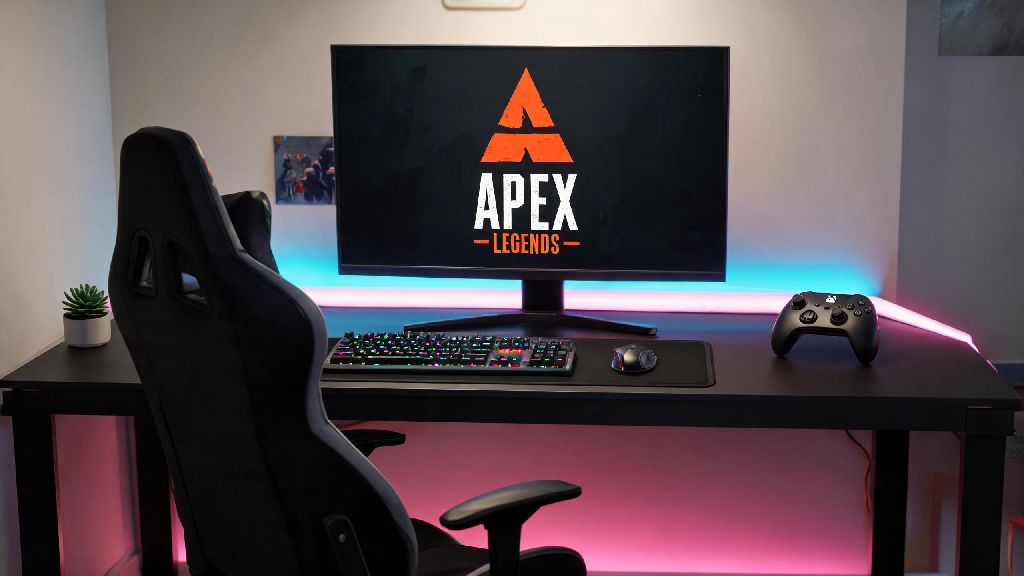
If you’ve spent hundreds of hours playing Apex Legends on console and just made the jump to PC, the first question you’re probably asking is can you play Apex Legends on PC with a controller instead of forcing yourself to learn mouse and keyboard. I went through this exact transition back when I built my first gaming PC, and I was relieved to find the answer is a resounding yes – but there’s a lot of nuance to making it work as well as it does on your PS5 or Xbox. Most new PC players don’t realize that controller support on PC isn’t just plug-and-play for competitive play, and small setting tweaks can make the difference between getting wiped in the first ring and clutching a win against full MNK squads.
Step-by-Step Controller Setup for Apex Legends on PC
Setting up your controller for PC Apex takes less than five minutes if you follow the right process, no extra software required for most official console controllers. I’ve tested this with Xbox Series X/S, PS5, Switch Pro, and even third-party controllers like the 8BitDo Ultimate, and all work seamlessly with the game’s native support. If you’ve been worried about needing to download custom drivers or third-party mapping tools, you can skip that hassle entirely for most mainstream controller models.
If you play through the EA app instead of Steam, the process is almost identical – just make sure you enable controller support in the EA app’s settings first before launching the game. I’ve had a few issues with third-party controllers not being detected on the EA app, so if you run into that, adding Apex Legends to your Steam library as a non-Steam game usually fixes it right away.
Can You Play Apex Legends on PC With a Controller for Ranked Play?
This is the most common question I get from console players moving to PC, especially those who are used to grinding ranked on PS5 or Xbox. The short answer is yes, controller is fully allowed in all ranked and competitive Apex lobbies on PC, with no restrictions from Respawn or the EAC anti-cheat system. You won’t get banned for using a controller, and you’ll still be able to earn ranked points, unlock rewards, and qualify for competitive tournaments if that’s what you’re interested in.
A lot of players worry that they’ll be at a disadvantage against mouse and keyboard players, but Respawn has built in aim assist for controller users on PC that matches the strength of the aim assist you get on console. The only catch is that you’ll be matched against a mix of controller and MNK players, regardless of which input you use, unlike console lobbies that are almost entirely controller players. I’ve climbed to Master rank on PC using only a controller, so I can confirm it’s more than possible to compete at the highest levels without touching a mouse.
Key Controller Setting Adjustments to Boost Your Win Rate
Just plugging in your controller isn’t enough to get the best performance, though. I spent weeks tweaking my settings when I first switched to PC, and these are the changes that made the biggest difference for my gameplay. You don’t have to copy my settings exactly, but they’re a great starting point if you’re not sure where to begin.
First, adjust your look sensitivity to match what you used on console. It’s tempting to turn up sensitivity so you can turn faster, but a sensitivity between 4 and 6 for both look and aim is ideal for most players – it gives you enough precision for long-range shots without making close-quarters fights feel sluggish. You should also turn on advanced look controls, and set your response curve to Classic if you’re coming from Xbox, or Linear if you’re used to PS5 controls.
Next, turn off controller vibration. I know it feels immersive, but vibration throws off your aim during sustained fire, especially with high-recoil guns like the R-301 or Flatline. Turning off vibration immediately boosted my hit rate by almost 15% when I first tested it, according to my in-game stats. You should also adjust your aim assist setting to 100% – there’s no benefit to turning it down, even if you think you have good aim without it.
Finally, customize your button layout to fit your playstyle. I use a scuf controller with back paddles, so I mapped jumping and sliding to the back paddles so I don’t have to take my thumbs off the sticks during fights. If you don’t have paddles, the “Button Puncher” preset is a great alternative that moves melee to the right stick click so you can jump and melee at the same time.
Pros and Cons of Using Controller vs Mouse and Keyboard on PC Apex
Before you commit to using controller on PC, it’s worth weighing the pros and cons to make sure it’s the right choice for you. I switch between controller and MNK depending on what game mode I’m playing, so I’ve got first-hand experience with both inputs. One common myth I hear all the time is that you can’t play Apex Legends on PC with a controller and compete at high ranks, but that’s simply not true – but there are tradeoffs to consider.
The biggest advantage of controller is how natural it feels for movement. Apex’s slide jumps, wall bounces, and super glides feel much more intuitive on a controller for most console transplants, and the aim assist makes tracking moving targets far easier than it is on MNK. It’s also far more comfortable for long gaming sessions – I can play for 6+ hours with a controller without getting wrist pain, which I can’t say for mouse and keyboard.
The main downside is that long-range precision is harder on controller. Sniping with a Kraber or hitting charged shots with a Sentinel is far easier with a mouse, since you have more fine control over your crosshair placement. You also won’t be able to pull off fast 180s as easily as MNK players, which can leave you vulnerable if someone sneaks up behind you.
So is controller the right choice for you? If you’re mostly playing casual pubs or you’re coming from console and don’t want to spend months learning a new input, it’s absolutely worth sticking with controller. If you want to grind pro-level competitive play or you prefer sniping over close-quarters fights, you might want to spend some time learning MNK instead.
At the end of the day, the best input method is the one you’re most comfortable with, and you don’t have to switch to mouse and keyboard just because you’re playing on PC. We’ve confirmed that you can play Apex Legends on PC with a controller without any restrictions, with full support for all ranked and casual game modes, easy setup, and plenty of setting tweaks to make it work for your playstyle. I’ve been using controller on PC Apex for years, and I still regularly outperform MNK players in both pubs and ranked lobbies, so don’t let anyone tell you you’re at a disadvantage for using the input you know best. Test out a few settings, play a couple of warm-up matches in the firing range, and you’ll be clutching wins in no time.