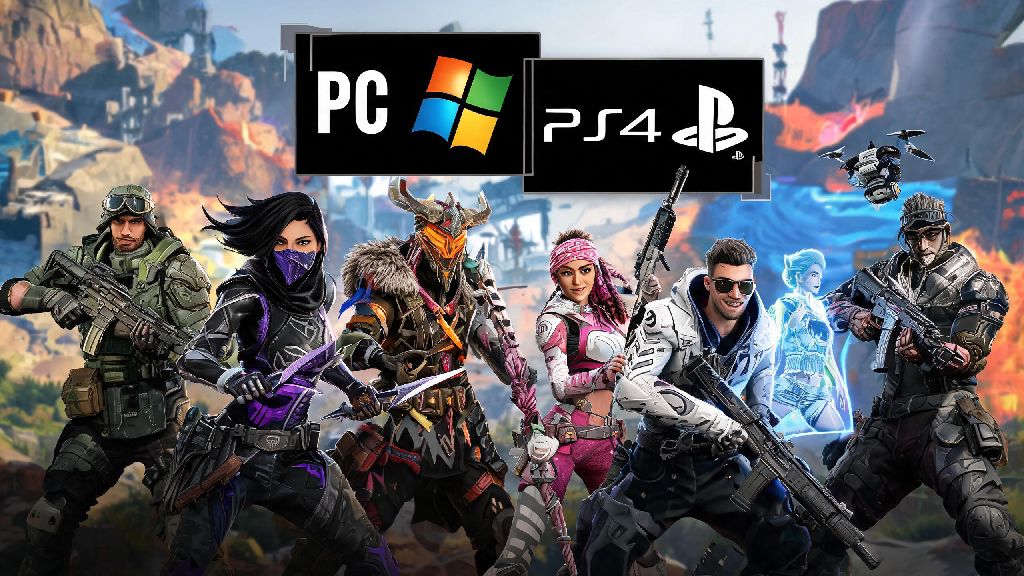
If you’ve ever queued for an Apex Legends match on PC and wondered if your friend on PS4 can join your lobby, you’re not the first. The question of can pc players play with ps4 players on apex legends is one of the most common searches from new and returning players alike, especially as more people play the game across multiple devices. Crossplay has become a standard feature for most live service games, but there are nuances to how it works for Apex that a lot of players don’t know about before they queue up together. We’ll break down everything you need to know, from how to enable crossplay to the pros and cons of mixing PC and PS4 lobbies, so you can decide if cross-platform play is right for your squad.
Is Crossplay Enabled Between PC and PS4 for Apex Legends by Default?
The short answer is yes, PC and PS4 players can squad up together as long as both have crossplay enabled on their accounts. Respawn Entertainment rolled out full cross-platform support for all versions of the game back in 2020, and it’s turned on automatically for every new account unless you manually switch it off. That means if you’re playing on PC and your friend is on PS4, you can send each other friend requests directly through the in-game friends list, no third-party apps required.
There’s one small catch for PS4 players, though. If you have a PlayStation account with crossplay disabled in your system settings, you’ll need to turn it on first before you can match with PC players. You can find this setting in your PS4’s Settings menu under Account Management > Privacy Settings > Gaming Experience > Cross-Platform Play. Just toggle that to “Allow” and restart Apex to see cross-platform friends show up in your list.
You’ll know crossplay is working when you see a small icon next to each friend’s name showing which platform they’re playing on: a monitor icon for PC, a DualShock icon for PS4, and so on. You don’t need to pay for any extra subscriptions to use crossplay, though PS4 players will still need an active PlayStation Plus subscription to play Apex online, same as they would for any other online multiplayer game on the console.
What to Expect When PC Players Play With PS4 Players on Apex Legends
While crossplay between PC and PS4 works seamlessly for the most part, there are key differences between the two platforms that will impact your matches, especially if you’re used to playing only with other players on your same device. Most of these differences come down to input method, as PC players use mouse and keyboard while most PS4 players use a controller, though you can use a controller on PC and a mouse and keyboard on PS4 if you prefer.
The most noticeable differences you’ll run into when playing cross-platform squads include:
That doesn’t mean one platform is strictly better than the other, though. We’ve seen plenty of top-tier PS4 controller players beat PC mouse and keyboard players in ranked lobbies, and it all comes down to personal skill and preference at the end of the day. If you’re worried about being at a disadvantage, you can always tweak your control settings to match your playstyle, whether you’re on PC or PS4.
If you want to dive deeper into how input differences impact ranked play, you can check out Respawn’s official crossplay ranked balance notes for the latest adjustments the dev team has made to level the playing field. The team releases regular updates to tweak aim assist strength and matchmaking rules based on player feedback, so it’s worth checking in every few seasons to see what’s changed.
You can turn off crossplay at any time if you decide you’d rather only match with players on your own platform, though you’ll have longer queue times for ranked and casual matches if you do this, especially during off-peak hours.
How to Set Up a Cross-Platform Lobby With PC and PS4 Players
Setting up a crossplay lobby between PC and PS4 players takes less than a minute once you have crossplay enabled on both accounts. The process is the same whether you’re playing casual trios, ranked, or a limited-time game mode, and it works for all squad sizes from solos to full three-person teams.
First, one player needs to create a lobby and make sure it’s set to “Friends Can Join” or “Invite Only” depending on who you want to play with. Then, open your in-game friends list, and search for your friend’s EA account username — you can’t search for their PSN ID or Steam username directly, so make sure you have their correct EA display name before you try to add them.
Once you send the friend request, the other player will get a notification in their in-game inbox, and they just need to accept it to show up in your friends list. Then you can send them an invite to your lobby the same way you would invite someone on your own platform, and you’re ready to queue up for a match.
If you can’t find your friend in the search results, double check that both of you have crossplay enabled in your in-game settings, and that you’re spelling their EA username correctly, including any capital letters or special characters. If you still can’t find them, try adding each other through the EA Desktop app or Origin on PC, and they’ll show up in your Apex friends list automatically after that.
Pros and Cons of Playing Crossplay Between PC and PS4
Crossplay is a great feature for playing with friends who have different consoles, but it’s not for everyone. Before you decide to leave crossplay enabled all the time, it’s worth weighing the benefits and drawbacks to see if it fits your playstyle.
The biggest benefit of crossplay is obviously being able to play with your friends no matter what device they own. You don’t have to buy a second copy of the game or a new console just to squad up with people you enjoy playing with, and you’ll also have much shorter queue times for all game modes, since the pool of available players is much larger when you include all platforms.
The main downside, as we mentioned earlier, is the input imbalance. If you’re a casual PS4 player who only plays a few hours a week, you might get frustrated if you keep getting matched against PC players who have thousands of hours of practice with mouse and keyboard. Smurfing is also more common in crossplay lobbies, since it’s easier for PC players to create new accounts to play against lower-ranked players on console.
Another small downside is that you can’t use platform-specific voice chat features when you’re in a cross-platform lobby. You’ll have to use the in-game voice chat, or a third-party app like Discord, to talk to your friends, since PS4 party chat only works with other PlayStation players.
At the end of the day, the answer to whether can pc players play with ps4 players on apex legends is a resounding yes, and it’s easier than ever to squad up with friends across platforms. Whether you’re playing for fun with friends or grinding ranked lobbies, crossplay gives you more options for who you play with and how you enjoy the game. Just make sure you’re aware of the input differences and adjust your settings accordingly to make sure you have the best possible experience, no matter which platform you’re on. If you don’t like how crossplay feels, you can always turn it off in your settings and go back to playing only with other players on your own device whenever you want.