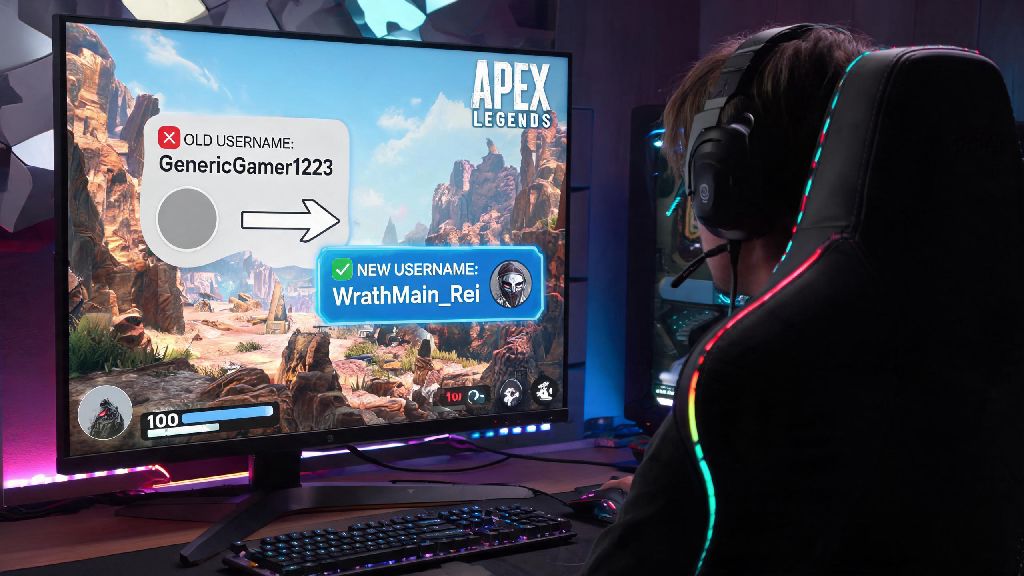
Maybe you picked a silly username when you first downloaded Apex Legends at 2am after a friend begged you to join their squad. Maybe your old IGN is tied to a high school nickname you’ve spent years trying to leave behind, or you just rebranded your streaming handle and want it to match across all the games you play. If you’ve ever asked can you change Apex Legends name, you’re not alone. Thousands of players hunt for this answer every month, especially after they realize their random first username is stuck on every kill feed and leaderboard they make. I’ve gone through three name changes myself across PC and Xbox, so I’m breaking down exactly what works, what doesn’t, and what you need to know before you hit that confirm button.
Can You Change Apex Legends Name? Official Rules Across All Platforms
The short answer is yes, but there’s a catch most players don’t know about upfront. Unlike some games that let you create a separate in-game username independent of your platform account, Apex Legends pulls your display name directly from whatever platform you use to log in. When asking can you change Apex Legends name, the biggest surprise most players have is that the process doesn’t happen inside the game at all. Respawn doesn’t handle name change requests directly, so you won’t find any option to update your username in the in-game settings menu. You don’t need to pay Respawn anything for a name change, but some platforms charge for extra changes after your first free one, so that’s the only cost you’ll run into. If you have cross-progression enabled, your name will update across all linked platforms automatically once you change it on your primary account, so you don’t have to repeat the process for every device you play on. That said, there are a few platform-specific rules you’ll need to follow, which we’ll break down next.
Step-by-Step Name Change Instructions for Every Major Platform
The process is slightly different for each platform, but none of them take more than 5 minutes if you have your account login handy. I’ve listed the exact steps for every major Apex platform below, so you can skip the endless scrolling through help pages:
Important Restrictions to Know Before You Change Your Apex Legends Name
Just because you can change your name doesn’t mean there aren’t rules you have to follow. If you skip these, you could end up wasting money on a name that gets force-changed, or even face account penalties. First, any name that violates Respawn’s code of conduct will be force-changed without a refund, even if your platform approved it. That includes hate speech, harassment, impersonation of Respawn staff or popular content creators, or misleading names that imply you’re a game moderator. If Respawn flags your name, you’ll be assigned a random generic username until you pick something that fits the rules, and you won’t get your platform change fee back. If you’re still unsure if your desired name is allowed after confirming you can change Apex Legends name, double check Respawn’s community guidelines first to avoid getting a forced reset. Second, if you have a temporarily or permanently banned Apex account, you can’t change your name to get around the ban. Respawn tracks your unique account ID, not just your username, so you’ll still be locked out of matches even if you switch your display name. Third, name changes can take up to 24 hours to show up in Apex, especially if you play cross-progression. Don’t panic if you log in right after changing your platform ID and still see your old name; it usually updates within a few hours, but you can restart your game once to speed up the process. You can only change your EA ID once every 72 hours, so don’t try to switch back and forth between names quickly, you’ll get locked out of making changes for three days. That’s another mistake I made early on, when I couldn’t decide between two names and ended up stuck with my second choice for three days.
Tips to Pick an Apex Legends Name You Won’t Want to Change Later
Let’s be real, no one wants to pay $10 every few months just to switch up their username. I’ve made that mistake twice, so I’ve got a few simple rules I follow now when picking a new handle that save me time and money. First, pick something that works across all platforms if you play cross-progression. If your favorite name is taken on Steam but available on Xbox, you’ll end up with mismatched usernames for cross-play friends, which is a huge hassle when people are trying to add you after a good match. If your first choice is taken, try small tweaks that still feel true to the original, like adding a relevant Apex reference at the end instead of random numbers. Second, avoid overly trendy references that will feel dated in a year. I had a username referencing a viral TikTok sound back in 2022, and by the next year I was cringing every time I saw it pop up in the kill feed. If you’re going to use a reference, pick something from Apex lore or a classic game you love, not something that will be forgotten in six months. Third, keep it simple enough that your friends can find you easily. Super complicated spellings or random strings of numbers make it hard for people to add you to squads after a good match. You can still be creative, just don’t make it impossible to type quickly when someone asks for your IGN mid-lobby. Fourth, if you stream or post Apex content, make sure your username matches your social media handles so viewers can find you easily across platforms. Even a small mismatch, like adding an extra underscore, can cost you followers who can’t track you down after they see you pull off a sick play in a public match. Take 10 minutes to check availability across all platforms you use before you commit to a new name, and you won’t regret it later.
At the end of the day, the answer to can you change Apex Legends name is a clear yes, as long as you follow your platform’s rules and Respawn’s community guidelines. You don’t have to be stuck with a username you picked on a whim when you first downloaded the game, and the whole process takes less than 10 minutes if you know where to look. Just make sure you pick a name you’ll be happy with for a while, so you don’t waste money on extra changes down the line. Next time you load into a match, you’ll have a handle you’re proud to see pop up on the kill feed when you take out that last squad to win the game.