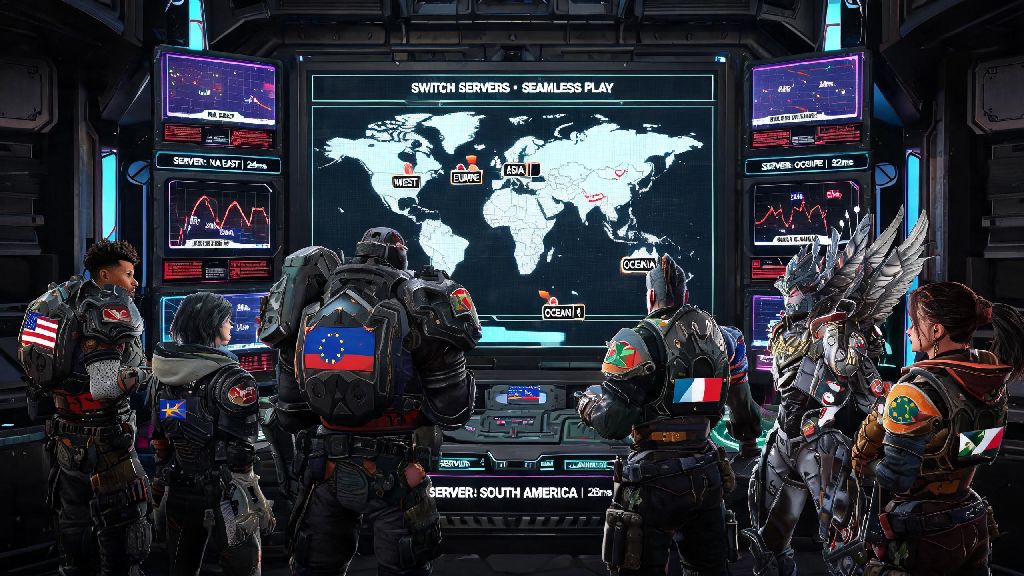
If you’ve ever sat through a 10-minute queue for a ranked Apex match only to get booted mid-fight because of 300ms ping, you’ve probably wondered can you change servers in Apex Legends to fix the issue. Most players default to their local region automatically assigned by the game, but that doesn’t always mean it’s the best option for low ping, short wait times, or even playing with friends who live in a different part of the world. I’ve switched servers dozens of times over the past 4 years of playing Apex, both for ranked grinds and casual scrims with international teammates, and I’ve broken down everything you need to know to do it safely, without getting hit with penalties or broken matchmaking.
Can You Change Servers in Apex Legends Without Penalties?
The short answer is yes, you can switch servers freely on every supported platform, and you won’t face account strikes or ranked penalties for doing so. A lot of new players worry that changing regions counts as an exploit, especially after hearing rumors of players getting banned for manipulating lobbies, but that’s not the case for legitimate performance-based switches. Respawn explicitly allows server switching for performance reasons, so you don’t have to worry about risking your account to get smoother gameplay.
That said, there are a few edge cases where you might run into trouble. Constantly switching servers to exploit region-locked event rewards or trying to farm low-rank lobbies in less competitive regions can lead to temporary or permanent bans, but those actions are clearly against the game’s terms of service. For regular players switching to fix lag or play with friends, there’s zero risk. Matchmaking is also tied to your account’s hidden MMR, not your region, so you won’t get easier lobbies by switching to a different part of the world, no matter what you might see on social media.
Step-by-Step Methods to Switch Servers on Every Platform
The process to change servers is slightly different depending on what device you play on, but none of them take more than 2 minutes to complete. I’ve tested every method below on my own accounts across PC, PS5, and Xbox Series S, so I can confirm all work as of the latest season update. You can only make changes from the main menu, so you’ll need to back out of any active lobbies or matches before you adjust your server selection.
If you’re playing with a squad, the server will default to the host’s selected region, so make sure everyone agrees on a server before queuing up to avoid unexpected lag spikes for some players. Always check the ping and packet loss numbers for a server before selecting it – a server that’s physically farther away might have lower ping than your local one if it’s less crowded during peak hours.
Top Reasons to Switch Your Apex Legends Server
Most players only think about switching servers when they’re dealing with bad lag, but there are a lot of other benefits to adjusting your region selection every now and then. The most common reason is to fix high ping and packet loss during peak play times, which usually fall between 7PM and 11PM local time. I’ve done this during weekend ranked grinds when my local EU West server had 200+ ping across the board, switching to EU East dropped my ping to 40ms with zero packet loss, and I didn’t notice any difference in queue times.
Switching servers can also drastically cut down on long queue times if you play off-peak hours, like early morning on weekdays. If your local server only has a few hundred active players, you could wait 10+ minutes for a ranked match, but switching to a busier nearby region can get you into a game in under 60 seconds. It’s also the only way to play with friends who live in other parts of the world without one side being stuck with unplayable ping. Picking a central server that has low ping for everyone in the squad means no one is at a disadvantage during fights.
Occasionally, Respawn will run small test events in specific regions first, so switching servers can let you try new game modes or cosmetic items a few days before they roll out globally. Don’t switch servers to try to get easier ranked lobbies – matchmaking uses your account’s hidden MMR no matter what region you play in, so you’ll get matched against players of the same skill level regardless of location. Any clips you see of players getting bot lobbies after switching regions are either faked or temporary glitches that Respawn patches quickly.
Common Mistakes to Avoid When Changing Servers
Even though switching servers is simple, there are a few mistakes I see new players make all the time that lead to frustration or lost progress. The most common one is picking a server based solely on physical location instead of real-time performance stats. A lot of players assume the closest server is the best, but if that server is overloaded or having technical issues, a server 500 miles away might have far better performance. Always check the ping and packet loss numbers in the data center menu before making your pick.
Another big mistake is switching servers mid-event to try to claim duplicate rewards. Some players try to jump between regions to get event skins or battle pass tiers multiple times, but Respawn tracks these actions and you can get temporary or permanent account bans for exploiting reward systems. It’s not worth risking your account for a few extra cosmetic items, so stick to switching servers only for performance or playing with friends.
I’ve also made the mistake of forgetting to switch back to my local server after playing with international friends. I logged on the next day for a ranked grind, queued up, and wondered why my ping was 180ms until I realized I was still on the Asia server I used to play with friends from Japan the night before. Make a habit of checking your server selection before you queue for ranked matches to avoid throwing games because of unexpected high ping. Also remember that packet loss is far more disruptive than slightly higher ping, so a server with 60ms ping and 0% packet loss is always a better pick than a server with 30ms ping and 5% packet loss.
At the end of the day, if you’re dealing with bad lag, long queue times, or want to play with friends across the globe, the answer to can you change servers in Apex Legends is a resounding yes, and it’s completely safe to do as long as you follow the rules. The process takes less than two minutes on every platform, and can make a massive difference in how enjoyable your matches are. I make a point to check my server selection every time I log on, especially during peak play times, and it’s saved me from dozens of frustrating, lag-filled ranked losses. Try switching servers the next time you run into performance issues, and you’ll likely be surprised at how much smoother your gameplay gets.