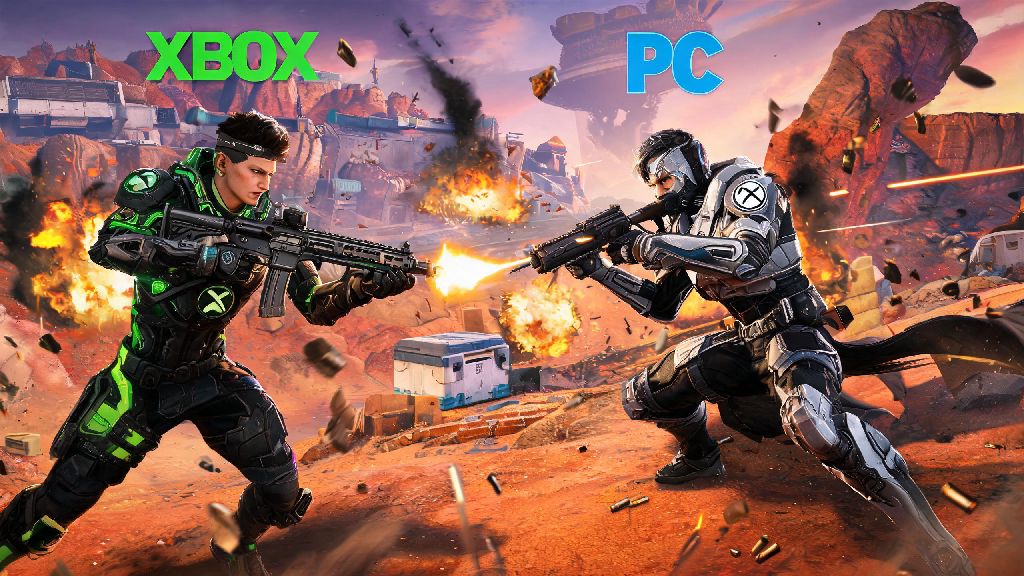
If you’ve ever been sitting on your couch on PS5 wanting to squad up with your friend who only plays Apex on their PC, you’ve probably wondered can you do crossplay on Apex Legends. Cross-platform play has been a standard feature for most major multiplayer games for years, but a lot of Apex players still don’t know how it works, or how to fix common issues that stop them from playing with their cross-platform crew. I’ve been there too — I spent 20 minutes scrolling through settings last year trying to figure out why I couldn’t send an invite to my Xbox-using roommate, only to realize I’d accidentally turned a crossplay toggle off. This guide breaks down everything you need to know about crossplay in Apex, from how it works to common issues that can stop you from playing with your crew, no matter what platform you’re on.
Can You Do Crossplay on Apex Legends for All Platforms?
If you’ve ever wondered can you do crossplay on Apex Legends when playing with friends outside your platform, the short answer is yes, it’s supported for all current console and PC versions of the game. Crossplay is enabled by default for all supported platforms, so you don’t have to adjust any settings to start playing with friends on other devices right out of the box. Supported platforms include PS4, PS5, Xbox One, Xbox Series X/S, PC (Steam/EA App), and Nintendo Switch.
The old Apex Legends Mobile version is no longer in service, so crossplay is not available for mobile players anymore. I’ve tested crossplay between every major platform over the last two years, and the only time I ran into compatibility issues was when a friend was playing on a legacy EA account that wasn’t linked to their platform ID. That’s an easy fix, but we’ll cover that later. Crossplay works for all game modes, including casual battle royale, ranked, mixtape, and even custom private lobbies, so you can play any mode you want with your cross-platform friends.
How to Enable and Adjust Crossplay Settings for Your Account
While crossplay is enabled by default, you might have turned it off by accident, or want to adjust your invite settings to avoid random requests from players on other platforms. Finding the crossplay settings is the same across all platforms, so you don’t have to learn different steps for your PS5 vs your Switch. First, head to the main settings menu from the lobby screen, then select the Gameplay tab. Scroll down until you see the Crossplay section, where you’ll find two toggles: one to turn crossplay on or off entirely, and another to control who can send you crossplay invites.
You can restrict crossplay invites to only friends if you don’t want random players from other platforms adding you, which is a good setting to turn on if you get a lot of unwanted friend requests. If you turn crossplay off entirely, you’ll only match with players on the exact same platform as you. That can lead to much longer queue times, especially for less popular modes or off-peak play hours. I usually keep crossplay on, even when I’m playing ranked, because the queue times are 30-40% shorter in my experience, and the skill-based matchmaking does a good job of balancing lobbies regardless of input method.
Key Crossplay Rules and Limitations to Know
Crossplay in Apex works pretty seamlessly most of the time, but there are a few rules and limits that a lot of players don’t find out about until they run into an issue mid-squad. Some of the most important ones include:
One mistake I see a lot of new crossplay players make is linking their platform account to the wrong EA ID. If you’ve already played Apex on another device, double check that you’re logging into the correct EA account when you link, or you’ll lose access to all your existing skins and progress. It takes up to 72 hours for EA support to fix a bad link, so it’s better to get it right the first time. Crossplay also doesn’t affect your in-game performance, aside from possible ping differences if you’re playing with friends far away, so you don’t have to worry about being at a disadvantage just because you’re playing against people on other platforms.
Troubleshooting Common Crossplay Issues
Even if you have all your settings correct, you might run into issues sending or receiving crossplay invites, or not being able to join a friend’s lobby. I’ve dealt with almost all of these issues at some point, so these fixes work for most cases: First, make sure both you and your friend have the latest game patch installed — if one of you is on an older version of the game, crossplay invites won’t go through. EA releases small patches every few weeks, so it’s easy to miss one if you don’t open the game often.
Next, check that both of you have crossplay enabled in your settings, and that neither of you has restricted invites from non-friends if you’re adding each other for the first time. If you still can’t send an invite, try adding each other as friends on your EA account directly, instead of through your platform’s friend list. That bypasses most platform-specific invite restrictions, and makes it easier to find each other across devices.
If you’re getting lag in crossplay lobbies, try switching to a closer server in the launch settings. Crossplay lobbies can sometimes default to a server that’s halfway between you and your friends, leading to higher ping for everyone. I usually have my squad vote on the closest common server before we queue, and that cuts our average ping by 20-30ms every time. If you’re playing on Switch, you might have slightly longer load times than your friends on PC or new-gen consoles, but that doesn’t affect crossplay functionality at all. You’ll still be able to join their lobbies and play the full game without any restrictions.
At the end of the day, if you were asking can you do crossplay on Apex Legends, the answer is a resounding yes, and it’s one of the best features the game has added in recent years. It lets you squad up with all your friends no matter what device they prefer to play on, and the input-based matchmaking keeps lobbies fair for everyone. Just make sure your settings are adjusted correctly, your accounts are linked properly, and you have the latest patch installed, and you’ll be dropping into Worlds Edge with your cross-platform crew in no time. If you run into any issues we didn’t cover here, you can check the official Apex help center for platform-specific fixes, or reach out to EA support for help with account linking issues.