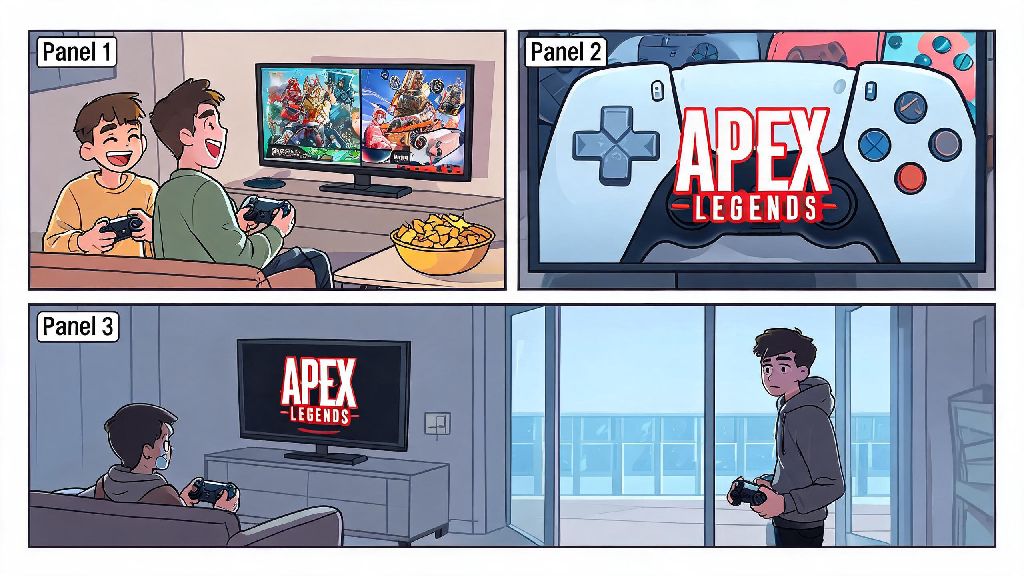
I’ve lost count of how many times a friend has showed up to my weekly game night, controller in hand, and asked if we can hop into a match together on the same TV. The first question that always pops up is can you do split screen in Apex Legends, and for a long time I assumed the answer was yes, just like every other major shooter I’ve played over the last 10 years. It turns out the answer is a lot more complicated than a simple yes or no, and there are a lot of misconceptions floating around about official support, workarounds, and what’s actually allowed without risking a ban. This guide breaks down everything you need to know if you want to play Apex with in-person friends, no matter what platform you use.
Can You Do Split Screen in Apex Legends Officially?
The short answer is no, there is no official split screen support for Apex Legends across any platform as of today. That applies to PC, PlayStation 4, PlayStation 5, Xbox One, Xbox Series X/S, and Nintendo Switch. Respawn Entertainment has addressed this question repeatedly in community AMAs, Twitter threads, and developer streams ever since the game launched back in 2019, and their stance has stayed consistent. Respawn has repeatedly confirmed that split screen support is not a top priority for current seasonal updates.
The main reason for the lack of support comes down to performance. Apex runs 60-player matches on huge, highly detailed maps with constant particle effects, movement mechanics, and real-time hit detection. Running two instances of the game at once on the same console or PC would require cutting graphical settings drastically, dropping frame rates below the 60fps threshold most players are used to, and potentially introducing input lag that would put both players at a serious disadvantage. Respawn has said that reworking the game’s engine to support split screen would take months of development time that would take away from new legend releases, map updates, and bug fixes that benefit the entire player base.
They haven’t ruled out split screen entirely, though. In a 2023 community stream, a lead developer noted that if they ever have extra resources to dedicate to the feature, they would test it for casual modes first. But there’s no timeline for that testing, and no guarantee it will ever make it to a live build of the game. If you’re holding out for official split screen, you’re probably going to be waiting a very long time.
Workarounds to Play Apex Legends With Local Friends Without Official Split Screen
Just because there’s no official split screen doesn’t mean you can’t play Apex with friends who are in the same room as you. There are a few safe, allowed workarounds that let you play side-by-side without risking a ban or dealing with broken mods. None of these give you true single-screen split play, but they work well enough for most casual game nights, and I’ve used all of them personally with friends over the last few years.
None of these workarounds give you true single-screen split play, but they let you enjoy Apex with in-person friends without jumping through too many hoops. You might have seen videos online of players using third-party mods to force split screen on PC, but you should avoid those at all costs. These mods violate Respawn’s terms of service, and using them will almost always result in a permanent account ban. Most of these mods also contain malware that can steal your account information or damage your device, so they’re not worth the risk no matter how badly you want split screen.
What to Consider If You’re Waiting for Split Screen Support in Apex Legends
If Respawn ever does release official split screen support, there are a few things you should keep in mind before you get too excited. Split screen works great for casual, non-competitive games, but Apex is a fast-paced competitive shooter, and playing on a split screen comes with some big tradeoffs that will impact your gameplay experience.
First, you’ll have a much smaller field of view. When you split a TV screen down the middle, each player only gets half the screen space to see enemies, track movement, and spot loot. That’s a massive disadvantage, especially against players who are playing on a full screen. Competitive players will likely avoid split screen even if it launches, as the smaller field of view puts you at a major disadvantage against full-screen players. For that reason, it’s almost guaranteed that split screen will be restricted to casual modes only, and won’t be allowed in ranked matches at all. That makes sense for keeping ranked play fair, but it’s a downside if you were hoping to climb the ranks with a friend on the same screen.
You’ll also have to deal with lower performance, even on high-end devices. Next-gen consoles like the PS5 and Xbox Series X/S can run Apex at 120fps on a single screen, but splitting that processing power between two instances of the game will almost certainly drop frame rates to 60fps at best, and possibly lower during busy fights with lots of effects. If you’re used to playing at high frame rates, that drop will be very noticeable, and could make it harder to aim or react fast enough to win fights.
For casual players who just want to mess around with friends, those tradeoffs are probably worth it. But if you’re a more serious player who cares about performance and winning matches, split screen will probably never be a viable option for you, even if it’s released officially.
Tips for Playing Apex Legends With In-Person Friends Right Now
I host game nights at my apartment every weekend, and I’ve tried just about every method to play Apex with in-person friends over the last few years. These tips will make the experience way smoother, no matter which workaround you use.
Always use wired internet connections for both devices if you're playing on the same home network to cut down on ping spikes. If both of you are using Wi-Fi on the same network, you’ll probably run into lag or disconnections during busy fights, which can ruin the match. Plugging both devices into your router with an ethernet cable eliminates that issue entirely, and it only takes a minute to set up. If you can’t use wired connections, make sure your router is close to both devices, and no one else is streaming or downloading large files while you play.
Use separate headsets for each player if you’re playing on screens in the same room. Audio is incredibly important in Apex, and if you can hear the audio from your friend’s screen coming through the TV, you’ll get confused about where enemy footsteps or gunshots are coming from. Cheap wireless headsets work perfectly for this, and they let you chat with each other and your online teammates at the same time without audio bleed.
If you don’t have two devices to play on, take turns playing matches and coach each other. This is one of my favorite ways to play Apex with friends, even when we do have extra controllers. You can pick up on mistakes the other player is making that they don’t notice themselves, and it’s a great way to get better at the game while still hanging out. We usually make a small bet for each match, like the loser buys the next round of snacks, to make it more fun.
Stick to custom private matches if you’re playing with a larger group of people who have different skill levels. You can set custom rules like only using shotguns, no abilities, or only playing as support legends to make the matches more casual and fun for everyone, instead of getting destroyed by sweats in public lobbies. You don’t need any special access to make custom matches anymore, anyone can host one for free right from the main menu.
Don’t download any third-party split screen mods for Apex, as they almost always contain malware and will get your account banned permanently. It’s not worth losing hundreds of hours of progress, all your legendary skins, and your ranked rank just to play on the same screen. The workarounds we listed earlier work perfectly well, and they’re 100% allowed by Respawn.
So to wrap it all up, can you do split screen in Apex Legends right now? No, there’s no official support, and there are no safe, legal ways to get true single-screen split play. But that doesn’t mean you can’t have a ton of fun playing with friends who are in the same room as you. The workarounds we covered are easy to set up, work on every platform, and won’t put your account at risk. If Respawn ever changes its stance and releases official split screen support, we’ll update this guide immediately with all the details on how to use it, what modes it works for, and what settings you should use for the best experience.