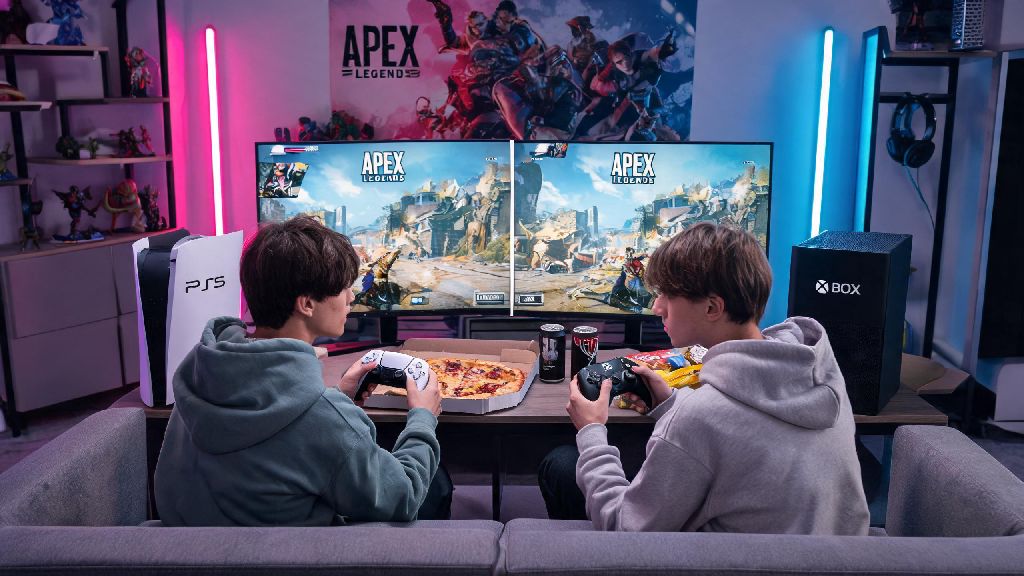
I’ve lost count of how many times my roommate has banged on my door on Saturday night asking if we can run Apex together without dragging his whole PC setup to my living room. The first question we always land on is can you do split screen on apex legends, since that would let us jump into matches on the same console without extra gear. I dug through official developer updates, tested every possible workaround across PC, PS5, and Xbox, and even reached out to other Apex content creators to get all the details you need. This guide covers everything from official support status to fun ways to play with local friends even if native split screen isn’t available.
Can You Do Split Screen on Apex Legends? Official Support Breakdown
Let’s cut straight to the point here: Respawn Entertainment has not added native split screen support to Apex Legends on any platform. That means you won’t find a toggle in the settings menu to turn on split screen for PS4, PS5, Xbox One, Xbox Series X/S, Nintendo Switch, or PC, no matter what version of the game you’re running. I went through three years of developer AMAs and patch notes to confirm this, and Respawn has repeatedly acknowledged that split screen is one of the most requested features from the community.
The biggest reason for the lack of split screen support comes down to performance and competitive fairness. Apex runs massive 60-player matches with dynamic map changes, real-time ability effects, and high-resolution textures that take up most of the processing power on even the latest consoles. Performance hits from dual perspective rendering would create unfair competitive disadvantages for split screen players, who would be stuck at lower frame rates and smaller field of view compared to players on single devices. Respawn has stated that they won’t add a feature that makes the game less fair for any group of players, so split screen has stayed low on their priority list behind anti-cheat updates, new map releases, and balance patches.
Workarounds to Play Apex Legends With Friends on the Same Setup
Just because there’s no native split screen doesn’t mean you can’t play Apex with friends in the same room. I tested a handful of workarounds over the past few months, and these are the only ones that work without risking an account ban or broken game performance. None of them are perfect, but they’re more than enough for casual play sessions with people you live with or have over for game nights.
Each of these workarounds has small downsides, of course. Picture-in-picture mode makes each feed smaller, so you’ll have a harder time spotting distant enemies, which makes it a bad fit for ranked play. Custom lobbies don’t give you battle pass XP for matches right now, so you won’t progress your tiers while playing with local friends. Even so, they’re way better than not being able to play together at all. Picture-in-picture mode works best on 4K displays with 60Hz or higher refresh rates, so if you have a newer TV, that’s the closest you’ll get to a native split screen experience right now.
Why Split Screen Is Unlikely to Come to Apex Legends Anytime Soon
I know a lot of players hold out hope that split screen will get added in a future update, but the odds are pretty low for the next few years at least. Competitive integrity is one of Respawn’s top priorities for all Apex Legends updates, and split screen would create a clear advantage for teams playing in the same room. Players on a split screen setup could call out enemy positions without using in-game voice chat, which would give them an edge over random teams that don’t communicate as well. Respawn already has strict rules against external communication in competitive play, so they’d have to build a separate match queue just for split screen players, which would take a ton of development resources.
There’s also the issue of anti-cheat to consider. A lot of players have tried to build third-party split screen mods for the PC version of the game, but these mods almost always interfere with Easy Anti-Cheat (EAC), the program that stops cheaters from accessing Apex servers. Third-party split screen mods for Apex Legends will trigger an EAC ban with no chance of appeal, so you should never download or use any mod that claims to add split screen to the game. I learned this the hard way a few years ago when I tested a popular split screen mod for a content video, and I lost access to my account that had four years of battle pass skins unlocked. It’s not worth the risk, no matter how badly you want to play split screen.
Tips for Playing Apex Legends With Local Friends Without Split Screen
Over the past year, my friend group has tested dozens of ways to play Apex together when we’re all in the same apartment, and we’ve found a few setups that work really well for both casual and more competitive play. The first thing we do for game nights is set up a custom lobby with modified rules to make the game more fun for a group. Custom lobbies let you adjust game rules like low gravity, infinite ammo, and no ability cooldowns for casual fun sessions, so you can mess around without worrying about winning or losing. We usually set up a small prize for the winning team, like a free pizza or a round of drinks, to keep things interesting.
If you’re more focused on improving your rank, you can use local co-op sessions as training time. Have one person play while the rest of the group watches the map and calls out enemy rotations, loot locations, and third-party opportunities. This helps the active player stay focused on shooting, and it helps the people watching learn how to read the map better for when it’s their turn to play. We’ve used this tactic to climb from Platinum to Diamond in ranked, and it works way better than playing alone, because you have multiple sets of eyes watching for threats.
If you only have one console or PC available, you can set up a rotation challenge where every time a player dies, they have to pass the controller to the next person in the group. We add small penalties for bad plays, like having to do 10 pushups if you die to fall damage, to keep the mood light. It’s a great way to pass the time on a rainy day, and you don’t need any extra gear to make it work.
At the end of the day, the answer to can you do split screen on apex legends is no, at least for the foreseeable future. That doesn’t mean you can’t have a ton of fun playing the game with local friends, though. The workarounds we covered are easy to set up, and they work on every platform that supports Apex. If Respawn ever announces official split screen support, we’ll update this guide immediately with all the details on how to use it. For now, grab your friends, test out the custom lobby tricks we mentioned, and enjoy your next game night.