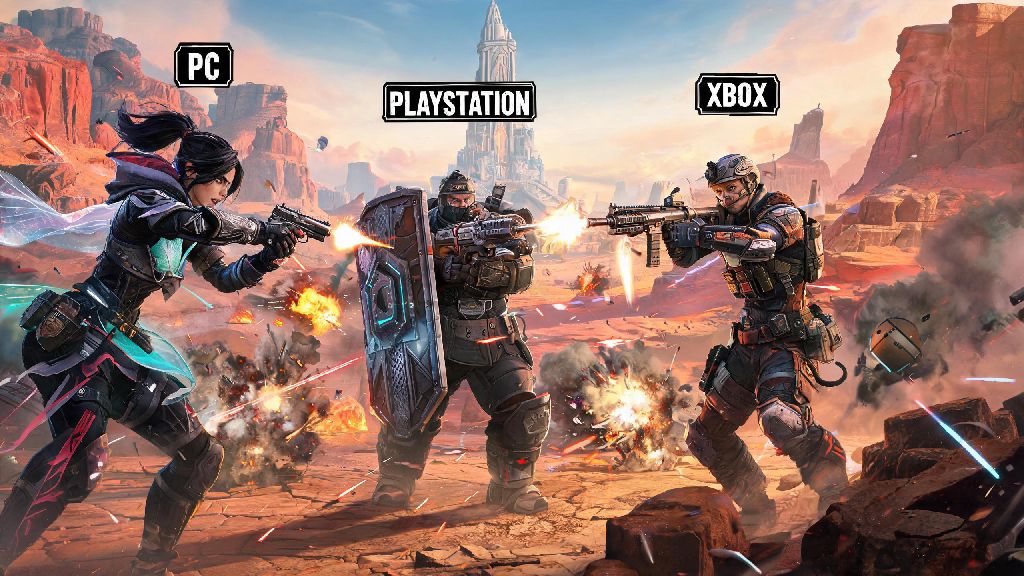
If you’ve ever hopped on Apex after a long work day only to realize your best friend is on PlayStation while you’re on PC, you’ve probably asked: can you play Apex Legends cross platform? The short answer is yes, but there are a lot of small details most players miss that can break your squad session before you even drop into King’s Canyon. I’ve spent years playing Apex across three different platforms, so I’m breaking down everything you need to know to avoid the common headaches that come with crossplay.
Can You Play Apex Legends Cross Platform Across All Supported Devices?
First, let’s clear up which platforms actually work with Apex’s crossplay system, because not every device you can run the game on is included. I’ve tested crossplay between almost every combination of supported devices, and these are the only ones that work as of the latest season:
This means if you’ve been asking can you play Apex Legends cross platform with your Switch-owning roommate while you’re on Xbox, the answer is definitely yes. You might notice mobile is missing from that list, and that’s because the official Apex Legends Mobile shut down in 2023, so there’s no official crossplay support for third-party mobile versions either. Also, if you play on GeForce Now or another cloud gaming service, your crossplay eligibility is tied to the platform your account is linked to, not the cloud service itself. One common mistake I see new players make is assuming Steam and EA app PC players are separate, but they’re lumped into the same PC crossplay pool, so you can play with friends no matter which PC launcher they use.
How to Enable Crossplay and Join Friends From Other Platforms
Crossplay is turned on by default for almost all new Apex accounts, but if you turned it off by accident or had it disabled for a previous season, turning it back on only takes a few seconds. First, open the settings menu and navigate to the Gameplay tab, then scroll down to the Cross Platform Play option and toggle it on. That’s all you need to do to see players from other platforms in your lobbies and send friend requests to them.
To add a friend from another platform, you don’t use their platform-specific username—you need their EA Public ID, which is the name tied to their central Apex account, not their PSN, Xbox Gamertag, or Switch friend code. You can find your own EA Public ID by going to the friends menu, clicking your own profile, and checking the name listed under the “EA Account” section. Once you have your friend’s ID, just type it into the add friend box, send the request, and they’ll be able to join your lobby no matter what device they’re playing on. I always recommend double checking that you’re typing the ID exactly, including capitalization and any special characters, because mismatched IDs are the number one reason crossplay friend requests fail.
Crossplay Restrictions and Limitations You Need to Know
Even though crossplay works really well for most casual players, there are a few hard limitations that Respawn has put in place to keep matches fair and prevent exploits. First, ranked crossplay has different rules than casual play: if you’re playing ranked on PC, you’ll only be matched with other PC players, even if crossplay is turned on. The only exception is if you queue with a friend who is on console, in which case the entire lobby will be placed in the PC ranked pool, and console players in your squad will have a small aim assist boost to balance out the advantage PC players have with mouse and keyboard.
Another big restriction is that cross-progression is only available if you link all your platform accounts to the same EA account. If you have a level 500 account on PS5 and a brand new account on PC, you won’t be able to carry over your skins, ranks, or crafting materials unless you link both platforms to the same EA ID before you log in on the new device. Also, you can only merge accounts once per year, so make sure you’re linking the right accounts before you confirm the merge, or you’ll lose access to your progress for 12 months.
If you’re a console player who hates playing against PC mouse and keyboard users, you can turn crossplay off entirely in your settings. Just keep in mind that if you turn crossplay off, your queue times will be much longer, especially for less popular game modes like Control or Ranked Arenas. I used to play with crossplay off on Switch, and my queue times for ranked would regularly hit 10+ minutes, so I ended up turning it back on even though I had to face PC players sometimes.
Tips to Make Crossplay Sessions Smoother for Your Whole Squad
After running crossplay squads with friends across PC, PS5, and Switch for the last three seasons, I’ve picked up a few small tricks that make the whole experience way less frustrating. First, if you have both PC and console players in your squad, let the highest ranked player be the squad leader for queueing, because the matchmaker uses the highest rank in the squad to determine lobby skill level. If you let a brand new Bronze player lead the queue, you’ll end up in lobbies far easier than you would otherwise, which isn’t fun for anyone involved.
Another tip is to turn on crossplay voice chat in your audio settings, because platform-specific party chat doesn’t always work between different devices. The in-game voice chat is actually pretty solid now, and it supports push-to-talk if you don’t want background noise coming through for your squad. If you have issues with voice chat cutting out, make sure all players have the latest game update installed, because outdated client versions often cause crossplay communication bugs.
For console players playing with PC friends, you don’t have to worry about aim assist being turned off when you’re in PC lobbies. Respawn keeps aim assist enabled for controller users no matter what lobby you’re in, so you’ll still have that same smooth targeting you’re used to in console-only lobbies. Just avoid using keyboard and mouse on console if you’re playing in PC lobbies, because you’ll lose your aim assist entirely, and you’ll be at a huge disadvantage against PC players who have years of experience with mouse and keyboard.
If you run into issues where you can’t join a friend’s crossplay lobby even after you’ve added each other, ask the squad leader to disband the lobby and create a new one. 9 times out of 10, that fixes the connection issue without you having to restart the game or mess with your network settings. I’ve had this happen at least a dozen times, and the lobby reset trick works every single time. If you’re still on the fence about whether can you play Apex Legends cross platform without running into constant issues, rest assured that Respawn has polished the system significantly over the last few seasons, so major bugs are pretty rare these days.
At the end of the day, if you were wondering can you play Apex Legends cross platform, the answer is a resounding yes, as long as you’re on one of the supported devices and follow the simple setup steps we covered. Crossplay has made it way easier to play with friends no matter what device they own, and while there are a few small limitations to keep in mind, the benefits far outweigh the minor headaches for most players. Next time you’re looking to squad up with a friend on a different platform, just double check your crossplay setting is on, you have their correct EA ID, and you’ll be dropping into your next win in no time.